Laying out the network
A Road Network is built in two steps. First it picks destinations: places the roads should reach, spread over the map, plus the map-edge entries of the main roads. Then it routes a road to each one, across the terrain, from the network built so far. This page covers the settings of both steps.
How many roads
Section titled “How many roads”Each class has a Count: the number of destinations of that class, and so the number of roads. A Through Roads adds that many A destinations on the map edge, so main roads cross the map instead of ending inside it. Untick a class’s Enabled to build no roads of that class.
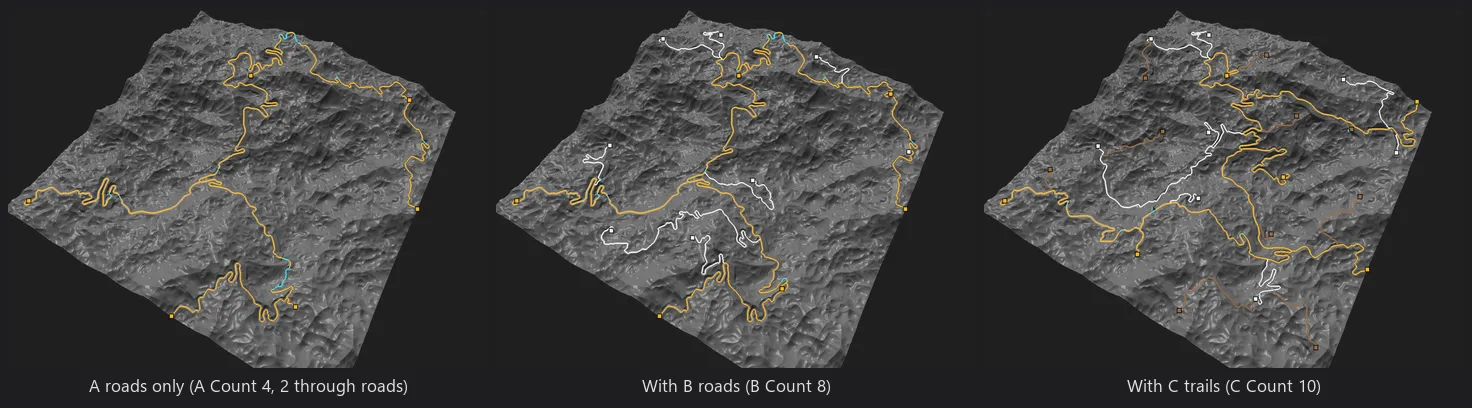
Destinations are spread out over the map, kept off water and away from the map edge. Each class looks for its own kind of place: A destinations on gentle, low ground, B destinations on fairly gentle ground at any height, and C destinations anywhere but cliffs, preferring high, remote spots. The Seed picks another set of destinations and another layout.
Grade and switchbacks
Section titled “Grade and switchbacks”Max Grade % is the steepest a road of the class may climb: 6 % is a main road, 10 % a mountain road, 18 % a steep track. The router treats steeper ground as very expensive, so on a hillside it takes a longer path across the slope and turns back in switchbacks, the way real mountain roads climb.
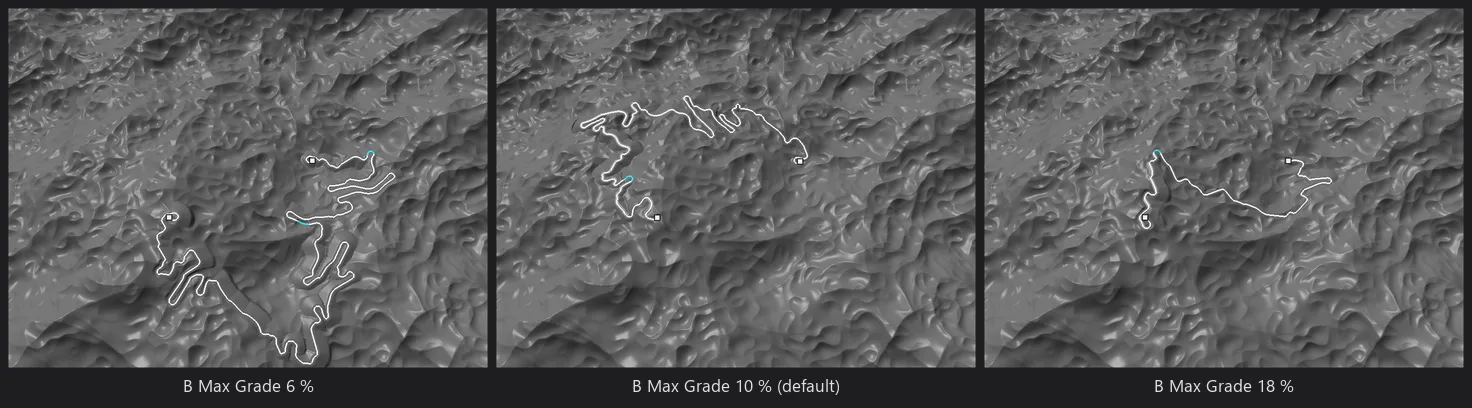
Hairpins are built as real curves: a tight bend with a radius of at least 7 m (1.5 times the road width for wider roads), or a loop beyond the apex where the two legs are too close for a bend. A lower Max Grade needs more room, so on very steep ground some destinations may get long roads or none.
Straightness
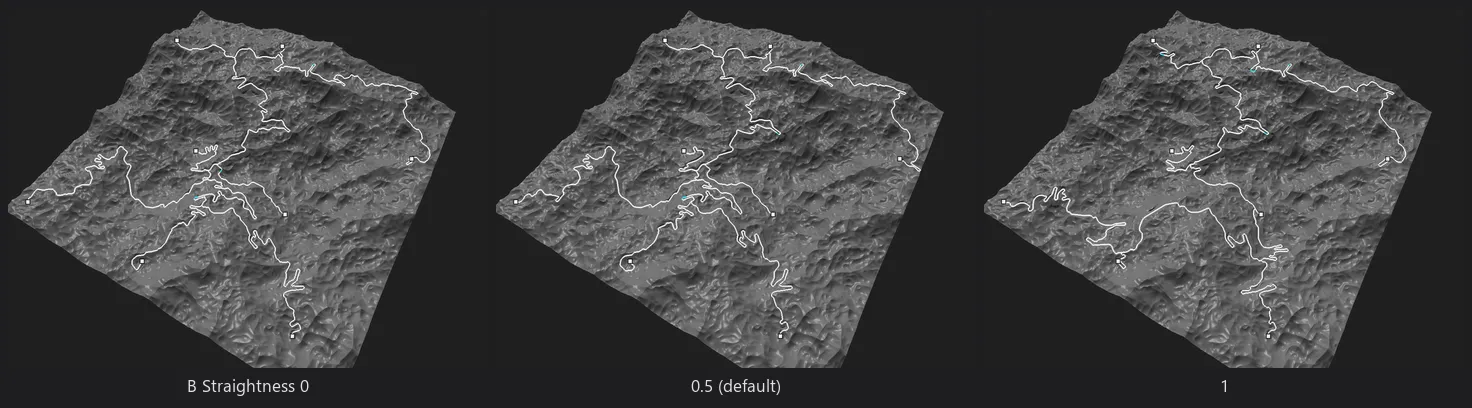
Section titled “Straightness”Straightness (0 to 1) is how much a class prefers long straights and wide bends over following every fold of the ground. Main roads default to 0.9, back roads to 0.5 and trails to 0.15, so trails wind along the terrain and main roads sweep across it.
General settings
Section titled “General settings”| Setting | |
|---|---|
| Seed | The destinations and every random choice of the layout. |
| Mode | Procedural + Manual builds the random destinations and your hand-made roads and destinations. Settlements + Manual builds only the roads of the Settlement nodes before it, your own roads and the A through roads, with no random destinations. Manual Only builds only what you placed by hand. |
| Routing Resolution | The size of the grid the routes are found on (128, 256 or 512 cells across). 512 finds tighter paths on detailed terrain and takes longer. |
| Lock Layout | Keeps the routes when the terrain changes (below). |
| Water Crossing Cost | How much the routes avoid water (below). |
Masks and Keep Out areas
Section titled “Masks and Keep Out areas”Under a Mask, the destinations are placed only inside the mask, and routes pay a high cost to leave it, so the roads stay in the masked area unless there is no other way. The mask doesn’t fade the carving: a road is either carved fully or not at all.
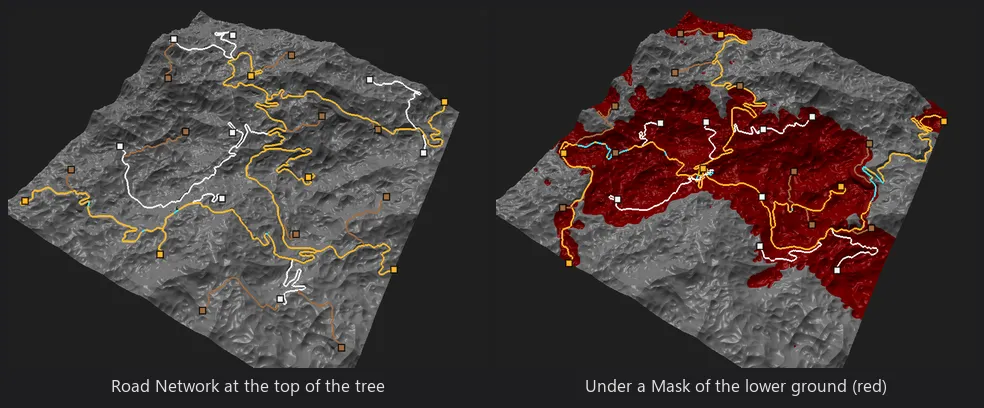
A Mask with Keep Out before the Road Network works the other way: no destinations in it, and routes pay to cross it. Use it to keep roads out of a hand-sculpted area or a lake you will fill later.
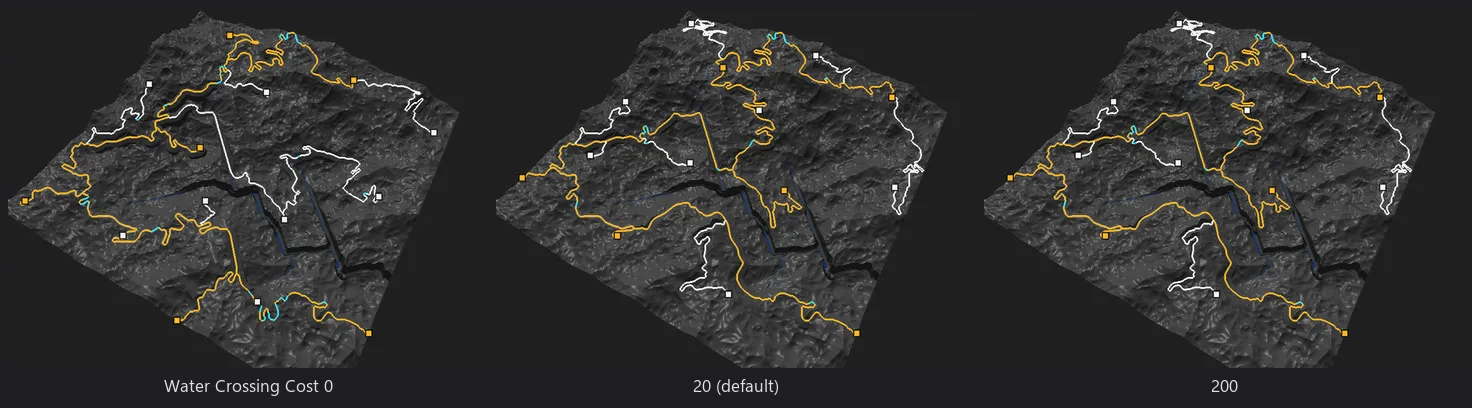
With a Water node before the Road Network, routes avoid the rivers and lakes: Water Crossing Cost multiplies the cost of crossing them. At 0 a road crosses water wherever it is shortest; at the default 20 it looks for a short crossing; higher values make long detours. Destinations are never placed in water. Where a road does cross, it gets a bridge or a causeway: see Bridges and water.
Settlements
Section titled “Settlements”With Settlement nodes before the Road Network, each town, village or farm is connected through its gates, its main street and side streets become part of the network, and routes go around the built-up area instead of through it. With Mode Settlements + Manual the settlements and your own roads are the only destinations.
Lock Layout
Section titled “Lock Layout”Every edit to the nodes before the Road Network routes the network again, and a small change to the terrain can move every road. When you like the layout, tick Lock Layout: the routes are kept whatever changes before the node, and only their height profiles and the carving follow the new terrain.
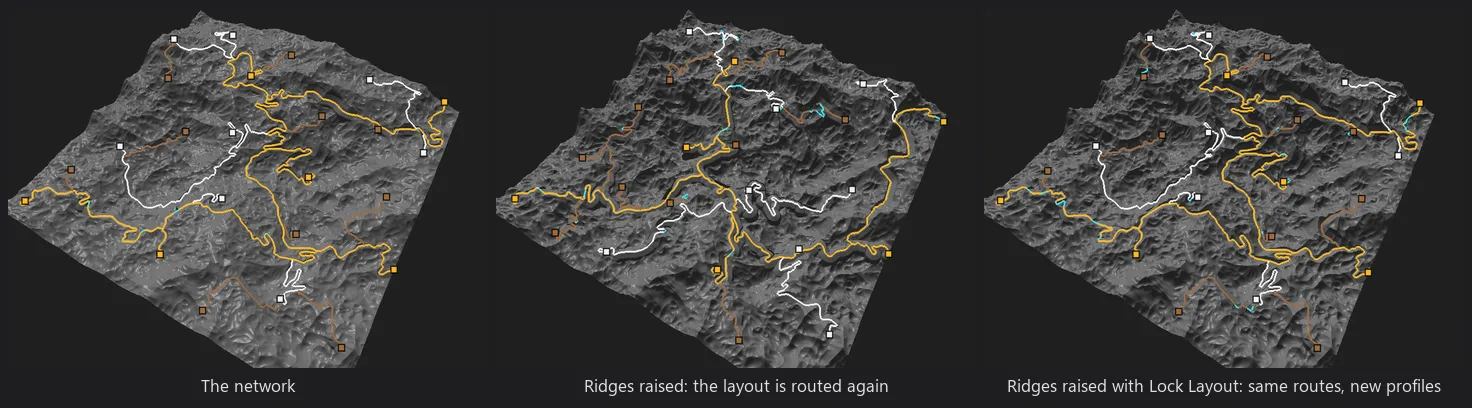
Changing the node’s own routing settings (Seed, Mode, Count, Max Grade, Straightness, Routing Resolution) or your hand-made roads still routes again while locked.