
Roadside objects
The Roadside node dresses the roads of the Road Network nodes before it: guardrails where the ground drops away, utility poles, warning signs before the bends, lamps at junctions. It reads the carved roads, so everything follows the network as it changes. It doesn’t change the terrain, so editing it never regenerates anything else.
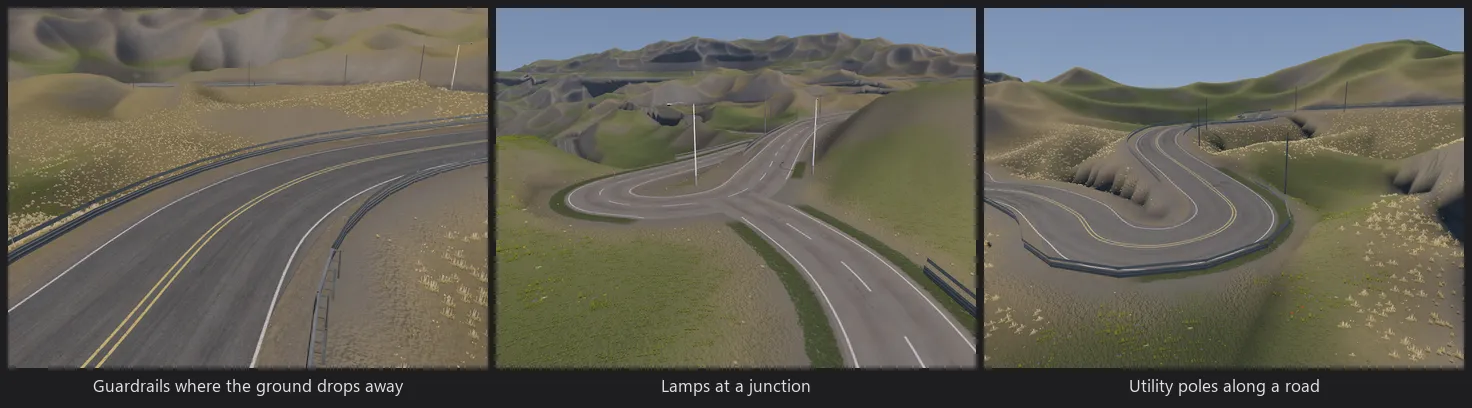
Add it after the Road Network nodes (and after any Water node, so poles stay out of the water). Select it to see its objects as markers in the 3D view; the Real view shows the models.
Categories
Section titled “Categories”The node has six categories, each in its own group with an Enabled box and a Classes field (the
road classes it dresses, for example A,B):
| Category | Placed | Settings |
|---|---|---|
| Guardrails | Where the ground beyond the shoulder drops more than Min Drop below the road, on the outside of bends tighter than Curve Radius with a drop, and along every bridge. Runs shorter than Min Run are left out. | Offset from the edge, Segment Length of each rail piece, Object, End Object |
| Poles | Every Spacing metres along one side of each road, away from junctions. | Spacing, Offset |
| Curve Signs | Advance metres before each bend tighter than Warn Radius, on the right, facing the driver. A run of bends closer than 150 m gets one sign. | Left Object, Right Object (the turn direction) |
| Speed Signs | Every Repeat metres along each road, with a model per class. Off by default. | A / B / C Object |
| Junction Lamps | Per Junction lamps on the far side of the road a junction joins, and optionally every Spacing metres along the roads. | Object (eca_lamppost) |
| Delineators | Posts every Spacing metres along both edges. Off by default. | Object |
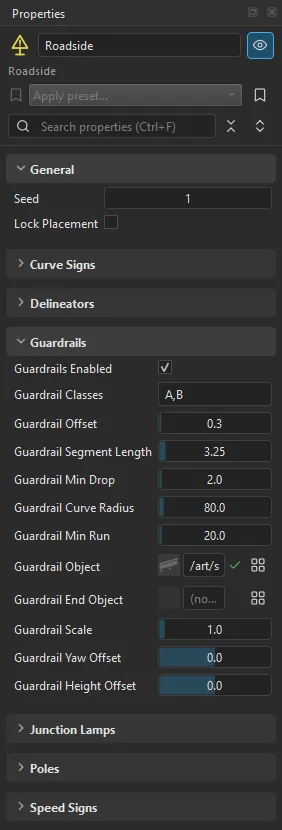
Guardrails are chained segments that follow the road’s bends and slope at road height, each stretched to span its piece exactly. Signs stand on the right of the road for the direction they warn, turned to face oncoming traffic.
Objects
Section titled “Objects”Every category’s object fields name what is placed (Export only):
- a shape path (with a
/, ending in.dae) is exported as a TSStatic object, - a plain name is a forest item, exported with the level’s forest like trees.
Pick them with the grid button next to each field, or from the Asset Browser. Scale, Yaw
Offset and Height Offset correct models that are the wrong size, face the wrong way or sit too low.
The defaults are stock content (italy guardrails, a wooden pole, italy bend signs, the eca_lamppost), so
a new level needs no mods.
General
Section titled “General”| Setting | |
|---|---|
| Seed | The random choices: which side the poles are on, and which variant each object uses. |
| Lock Placement | Keeps every placed object where it is, whatever changes before the node. The placement is saved with the project. |