
Introduction
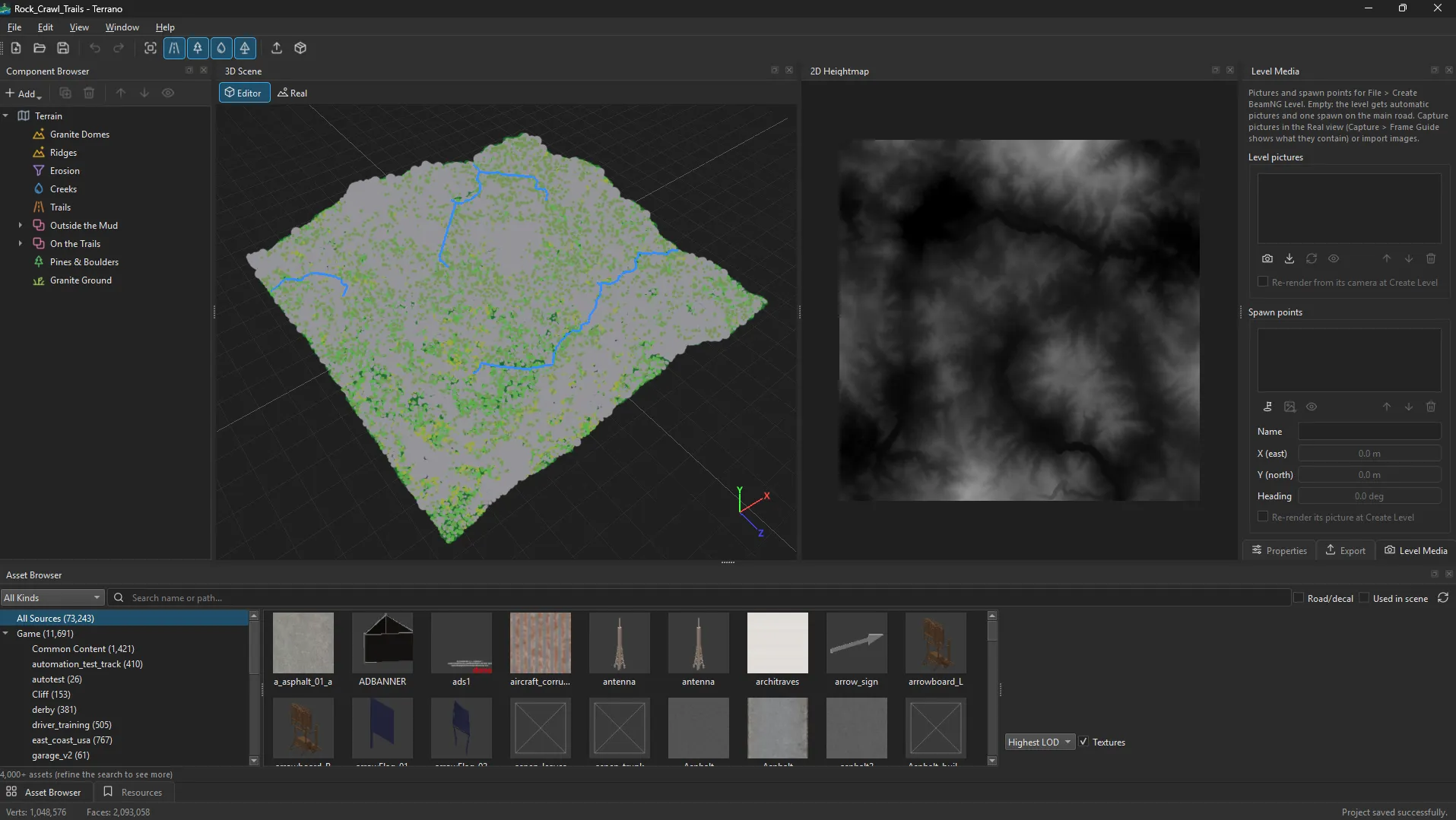
Terrano is a desktop editor for building BeamNG.drive maps procedurally. Instead of sculpting by hand, you describe a landscape as a tree of nodes (noise, erosion, water, roads, towns, forests) and Terrano generates it. Change a setting and the map updates in a moment; when you’re happy, export it as a level and drive it.
What it makes
Section titled “What it makes”- Terrain: layered noise, hydraulic and thermal erosion, rock strata, slumping, terraces and more.
- Water: rivers that follow the drainage, lakes in depressions, swamps and a sea, carved into the land and exported as BeamNG water objects.
- Roads: main roads, back roads and trails that respect a maximum grade, with switchbacks, bridges, junctions, line markings, decals, mud sections and AI navigation.
- Settlements: towns, villages, farms and roadside services with streets, levelled ground and buildings.
- Vegetation: forests, shrubs, rocks and ground clutter in tiers, grass and terrain materials painted in layers, plus a procedural Tree Editor for your own tree models.
- Roadside objects: guardrails, poles, signs, lamps and delineators placed along the roads.
Everything uses official BeamNG content by default, so the levels you create need no mods.
How a project works
Section titled “How a project works”A project is a tree of nodes under a root Terrain node. Nodes are processed from top to bottom, each one taking the terrain from the node before it and changing it: generators add height, filters reshape it, water carves rivers, roads carve their benches, and so on. Nodes placed under a Mask only apply inside it.
You’ll find the whole idea explained in The node tree, and every node’s settings in the Node reference.
Next steps
Section titled “Next steps”- Install Terrano.
- Follow Your first terrain to build and drive a small map.
- Open the example projects to see what each feature does.