
Leaves, fruit and caps
Leaves
Section titled “Leaves”Leaf generators place cards: flat or bent quads, each showing one spray cut from the leaf material’s atlas (a leafy branchlet about a metre long, like stock BeamNG trees). A Leaf generator places its cards with the same Generation settings as a Branch (usually Interval along twigs, plus Tip for the tips), so the templates have several: Twig Leaves, Bough Leaves, Tip Leaves, Top Leaves.
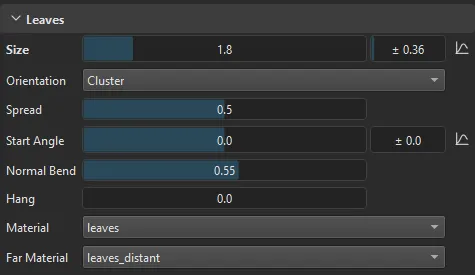
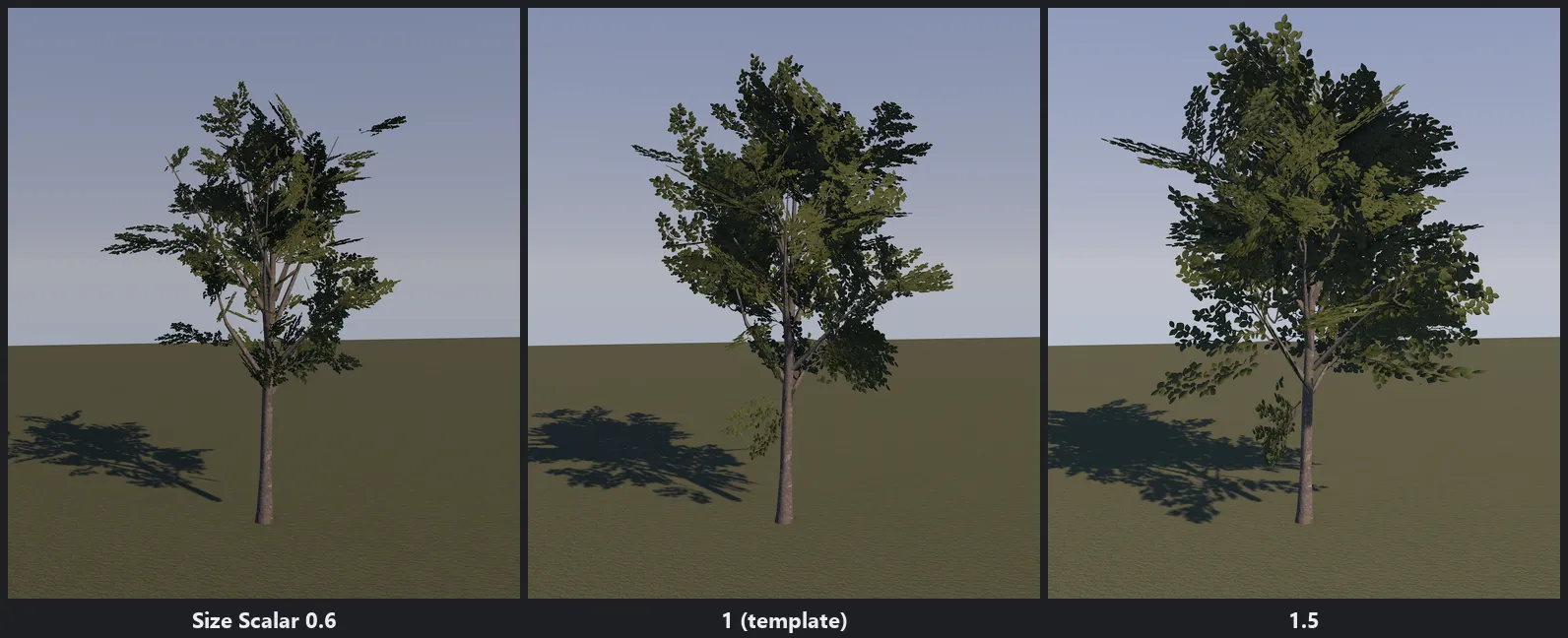
Size is the card’s length in metres (with a parent curve). The templates use the measured length of the sprays in their atlas. Size Scalar in Generation scales cards like it scales branches.
Orientation
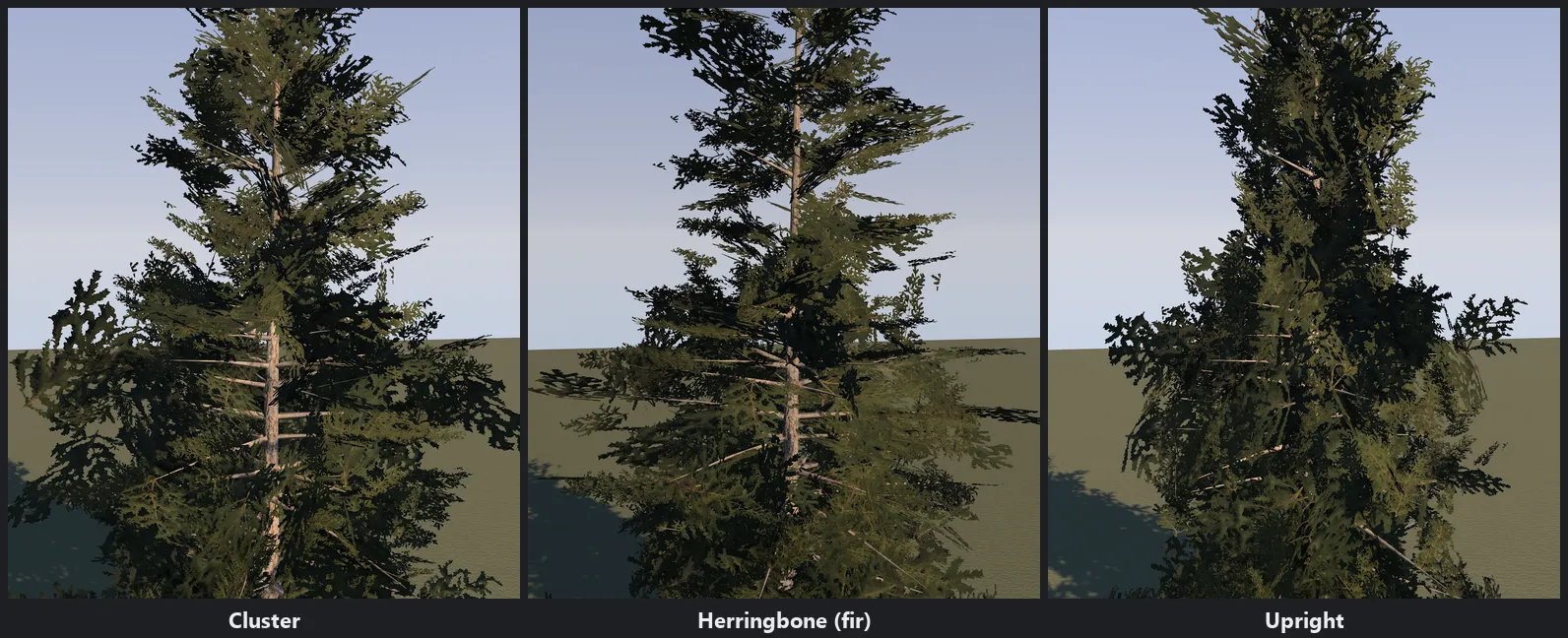
Section titled “Orientation”- Orientation: Cluster turns sprays around the twigs, facing out; Herringbone lays flat sprays along the parent in a shallow V (conifers); Upright stands the cards up (tip tufts).
- Spread is how freely the cards turn away from their parent, Start Angle tilts them away from it.
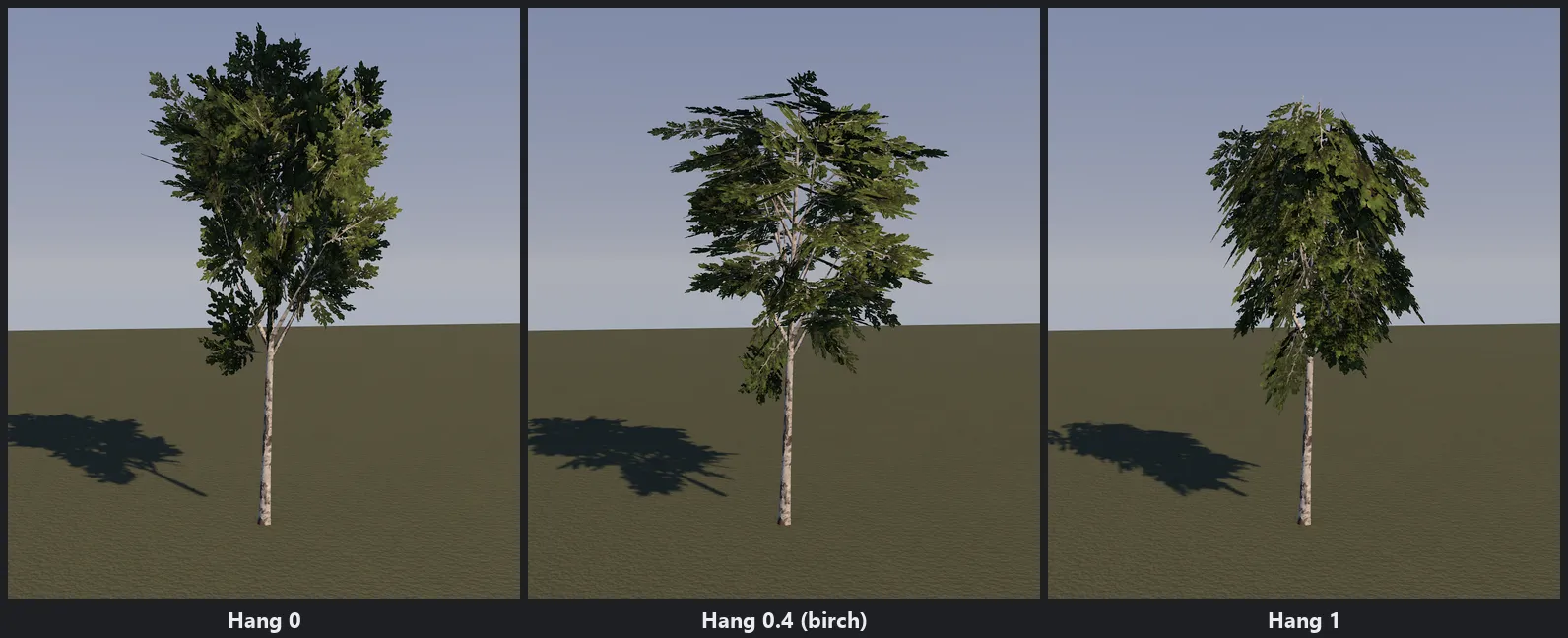
- Hang turns cards to hang down from their stem: 1 hangs straight down (racemes, catkins, limp young leaves).
The Leaf Orientation group turns every card’s face after it is placed, as SpeedTree’s leaf controls do:
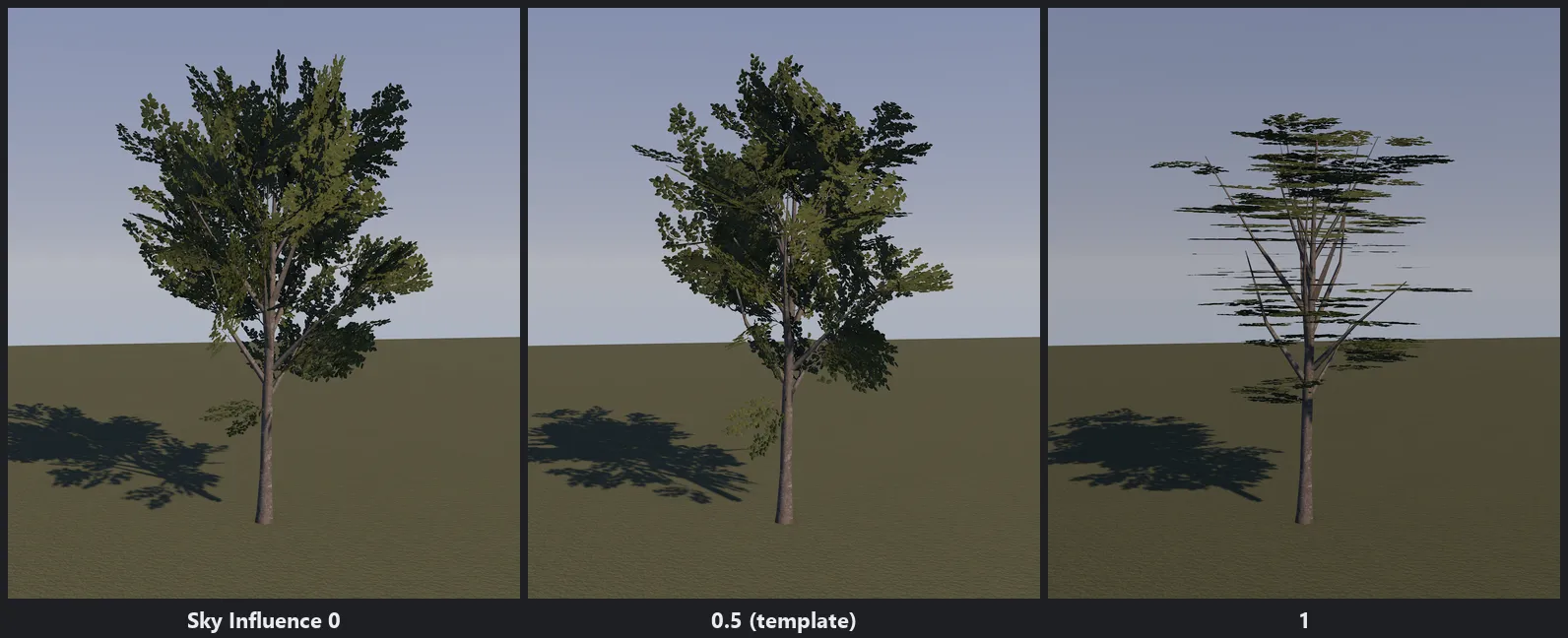
- Sky Influence turns the faces towards the sky, as leaves turn to the light. The crown reads as layers of foliage lit from above.
- Face Out turns the faces away from the parent branch, so sprays open outwards.
- Align turns each card’s length along its branch, pointing to the tip.
- Overlap Cull % removes cards whose centre lies within that share of a card length from a card kept before them. It thins clumps and saves triangles, and every detail level keeps the same cards.
Lighting
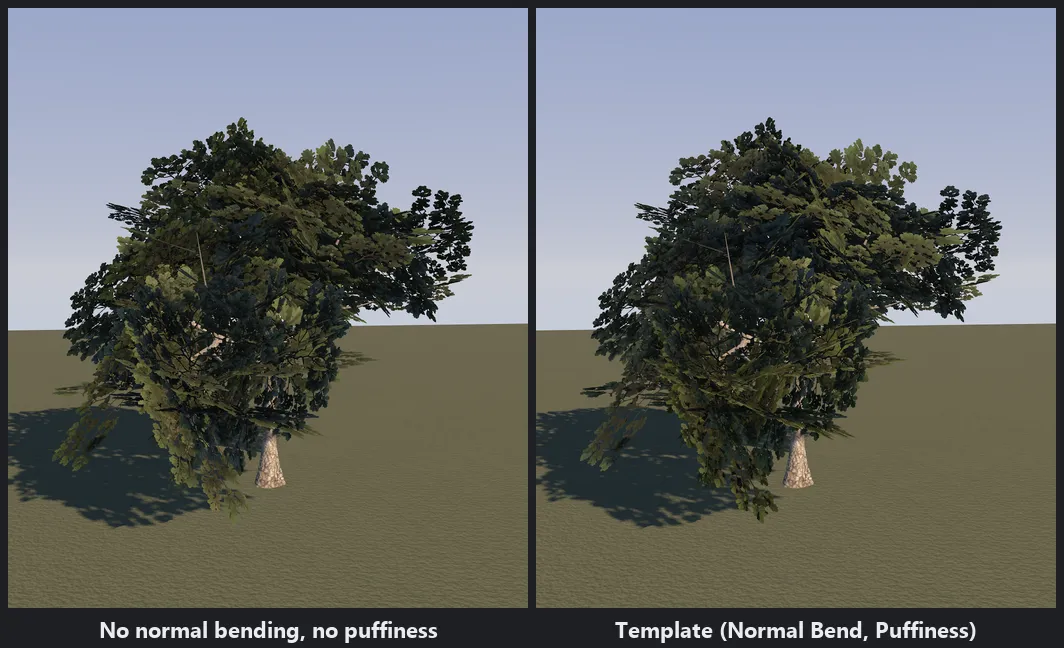
Section titled “Lighting”Flat cards lit as flat cards look like paper. The Leaf Lighting settings bend the cards’ normals so a spray, and the whole crown, shades like one volume. They change only the shading, not the shape:
- Normal Bend (in Leaves) bends the normals out of the crown.
- Parent Puffiness bends them away from a point on the parent branch (Puff Anchor: its middle, base, tip, or the point each card grows from), so each spray shades like a rounded clump.
- Puffiness domes each card slightly; Unify gives every vertex of a card the same normal, so folded and curled cards shade as one leaf.
Card mesh
Section titled “Card mesh”At near detail a card has Card Segments rows (middle detail half, far detail one), so it can bend: Curvature bends it along its length, Fold folds it into a V, Card Twist twists it from stem to tip, and Wrinkle adds random bumps. Cards that would dip below the ground are lifted onto it.
Density and detail levels
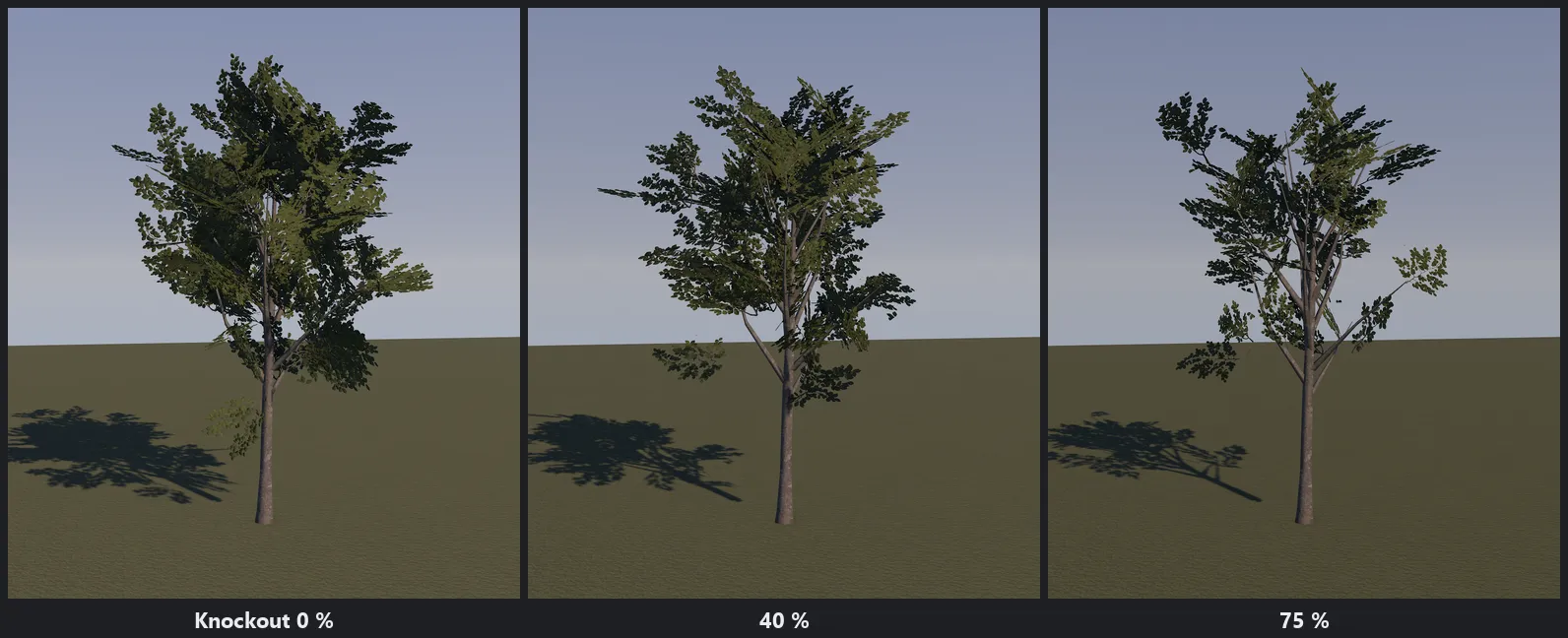
Section titled “Density and detail levels”Knockout % (in Generation) is the quickest way to thin a crown. Mid Keep % and Far Keep % keep a share of the cards at the lower detail levels; with Grow Scale the kept ones grow so the crown keeps its volume. Far Material is a simpler leaf texture with the same layout for far detail.
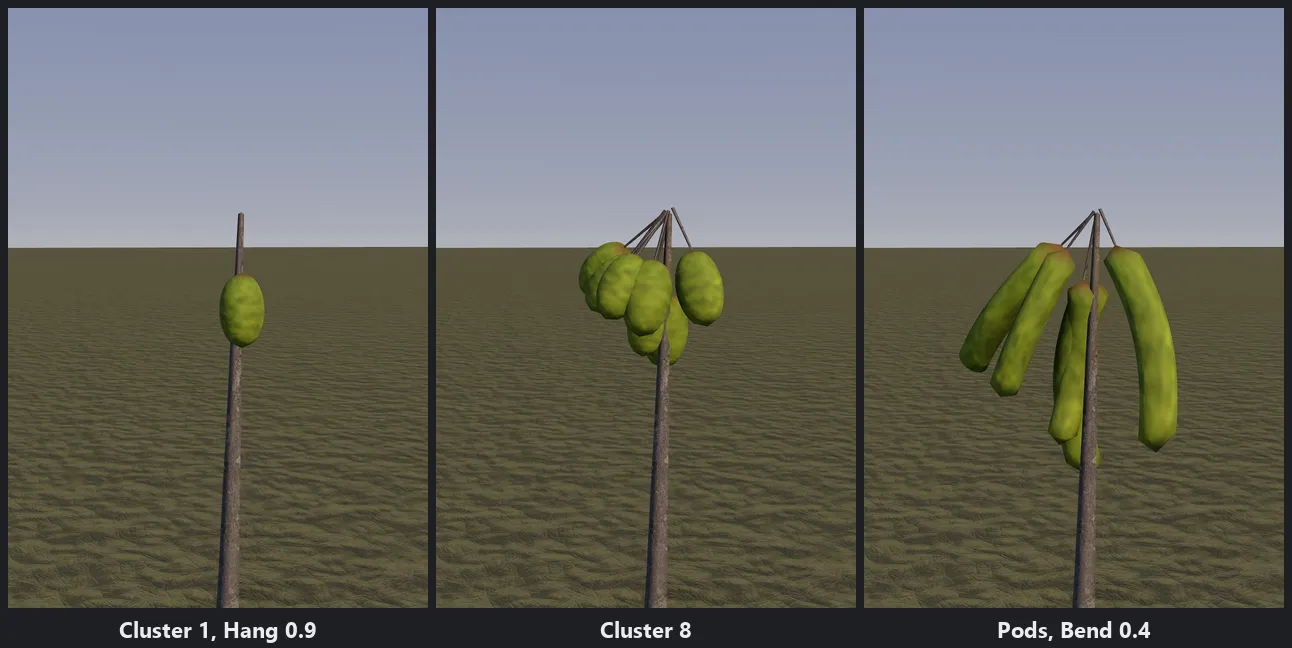
Fruit generators grow small lathe meshes: one bunch per node, with Cluster fruits in each bunch hanging from Stalk-long stalks. Adding a Fruit generator creates a fruit material slot (a plain colour until you give it a texture in the Materials tab).
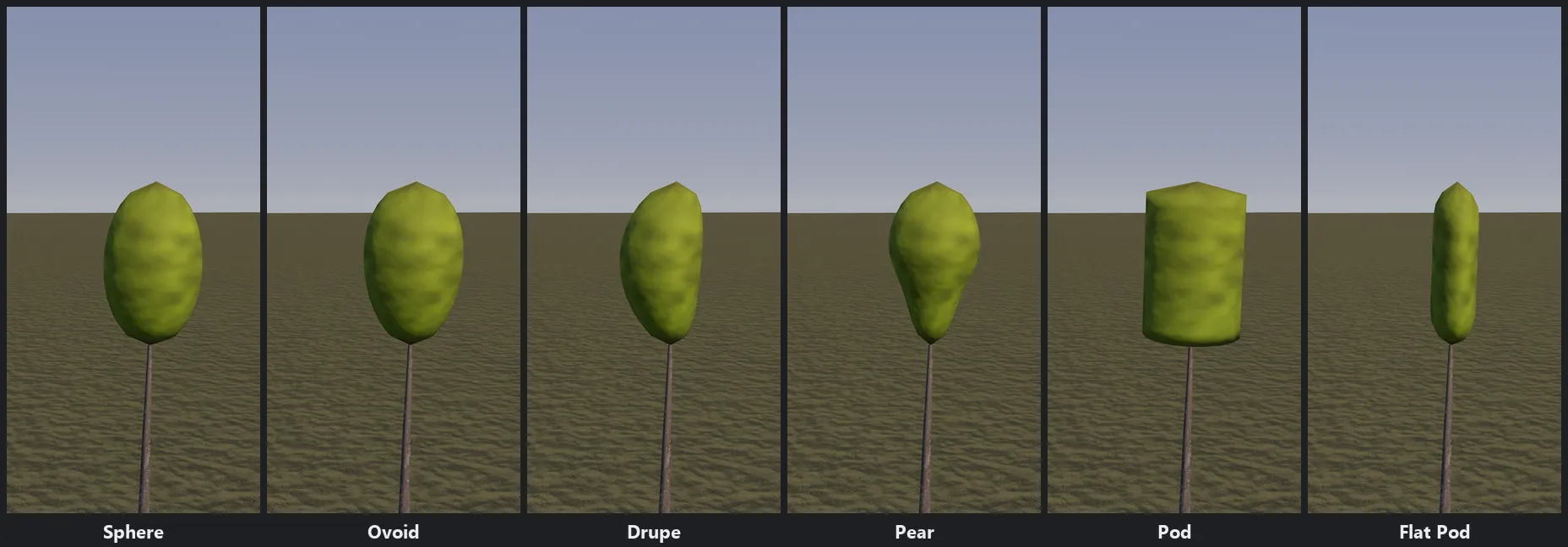
- Shape: Sphere (coconut, breadfruit), Ovoid (areca nut), Drupe (mango: a flattened, kidney-shaped egg), Pear, Pod (long cylinder: golden shower), Flat Pod (beans).
- Length is the real fruit length in metres, Width % its width.
- Bend curves long fruit, Hang turns them from pointing along their branch (0) to hanging straight down (1), Cluster Spread spreads a bunch.
- Fruits are dropped at far detail by default (Far Keep % 0) and get fewer sides further away.
A Cap generator closes the tips of its parent’s branches with a dome Cap Length times the tip radius long, with Rings rings at near detail. Without a cap, branch tips end in a short cone to a point, and thick branches that end abruptly would show a hole. Caps are skipped at far detail unless Far Caps is on. The templates put one under their boughs and limbs.