
Generators
A Generator draws a pattern of heights and combines it with the terrain it receives. Stack several to build a landscape: a large, smooth one for the overall shape, then smaller ones for mountains and detail.
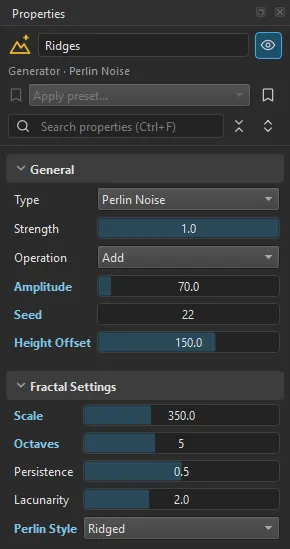
Type chooses the pattern. The Properties panel shows only the settings that apply to it.
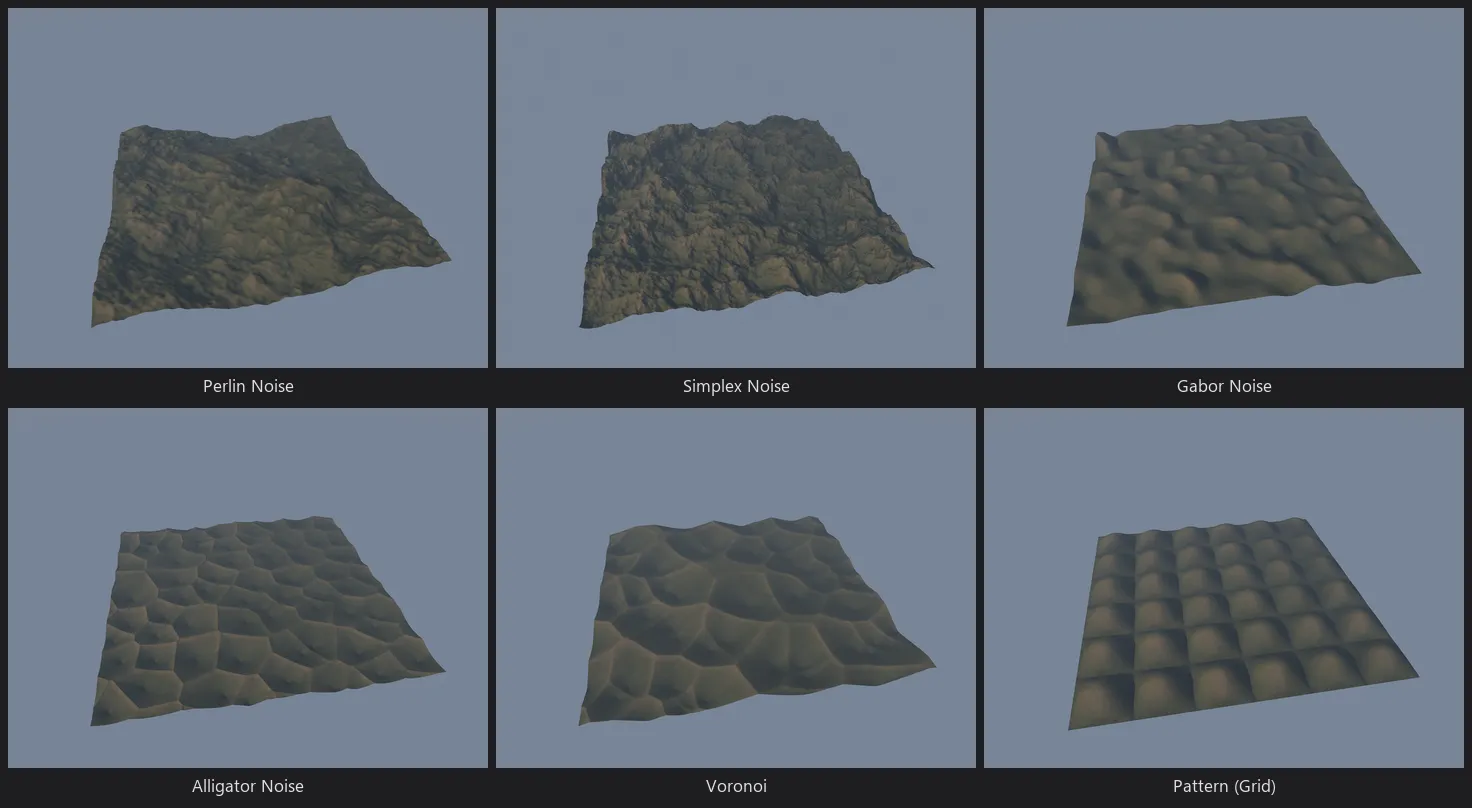
| Type | Draws | Use it for |
|---|---|---|
| Perlin Noise | Smooth random hills, made of several layers (octaves) of noise. Four styles. | The base of almost every terrain. |
| Simplex Noise | A similar noise, busier and sharper than Perlin at the same Scale. | Detail layers on top. |
| Gabor Noise | Bumps lined up in one direction (Gabor Orientation, ±30°). | Dunes, wind-swept or glacial grain. |
| Alligator Noise | Rounded cells with creases between them. | Cracked plates, hummocky ground. |
| Voronoi | Cells around random points; the height is the distance to them. | Craters, cells, faceted rock. |
| Pattern | A ramp, a cone, a grid of bumps or a checkerboard. | Tilting a map, a central peak, test shapes. |
| Constant | One height everywhere (Height Offset). | Raising or lowering an area under a mask. |
Combining with the terrain
Section titled “Combining with the terrain”Every generator has the same three settings at the top:
- Operation: how the pattern combines with the terrain it receives.
- Strength: how much of it applies, from 0 (none) to 1 (all).
- Amplitude: the pattern’s height in metres. Height Offset adds metres to it before it is combined.
| Operation | Result |
|---|---|
| Add | Terrain + pattern. The usual choice: each layer adds its shapes on top. |
| Subtract | Terrain − pattern: ridges become trenches. |
| Replace | Blends from the terrain towards the pattern by Strength (1 = only the pattern). |
| Multiply | Terrain × pattern. Use a pattern with an Amplitude of about 1, so it scales the terrain instead of making it hundreds of metres high. |
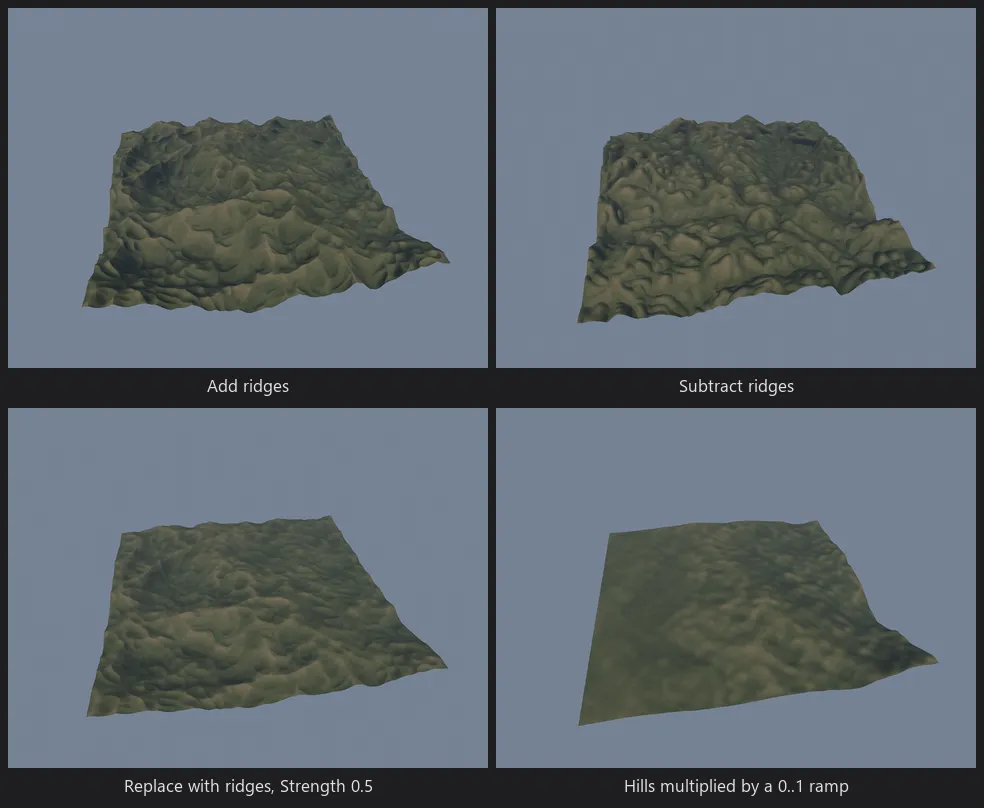
Under a mask, the Strength is multiplied by the mask, so the generator fades out at the mask’s soft edges.
Seed gives a different random pattern with the same character. Change it until the big shapes fall where you want them.
Perlin and Simplex noise
Section titled “Perlin and Simplex noise”Both are fractal noises: several layers of noise, each finer and lower than the one before, added together. Four settings shape them:
| Setting | |
|---|---|
| Scale | The size of the largest features in metres. |
| Octaves | The number of layers. More octaves add finer detail on top. |
| Persistence | How high each layer is compared to the one before (0.5 = half as high). |
| Lacunarity | How much finer each layer is than the one before (2 = half the size). |
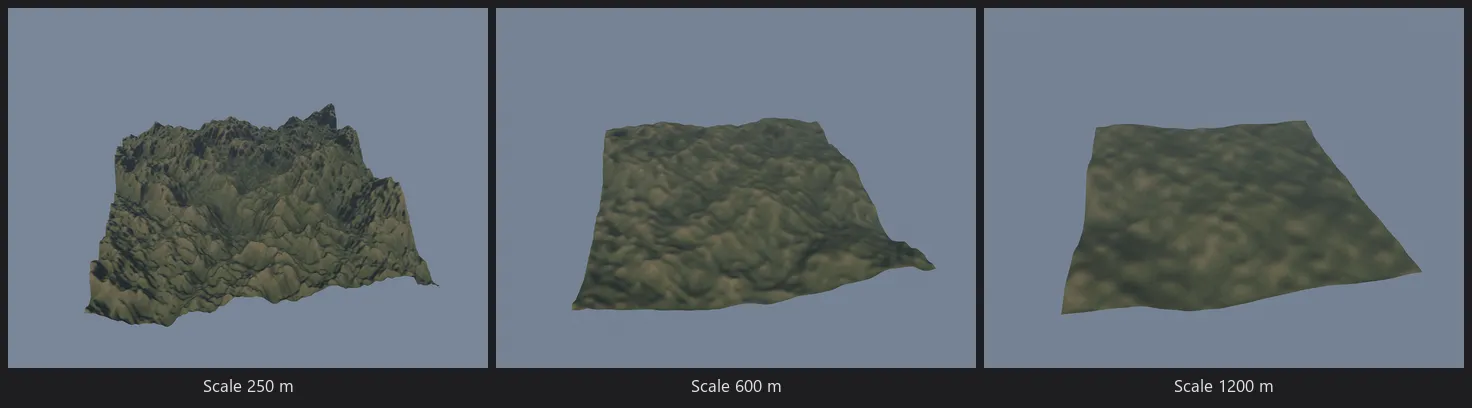
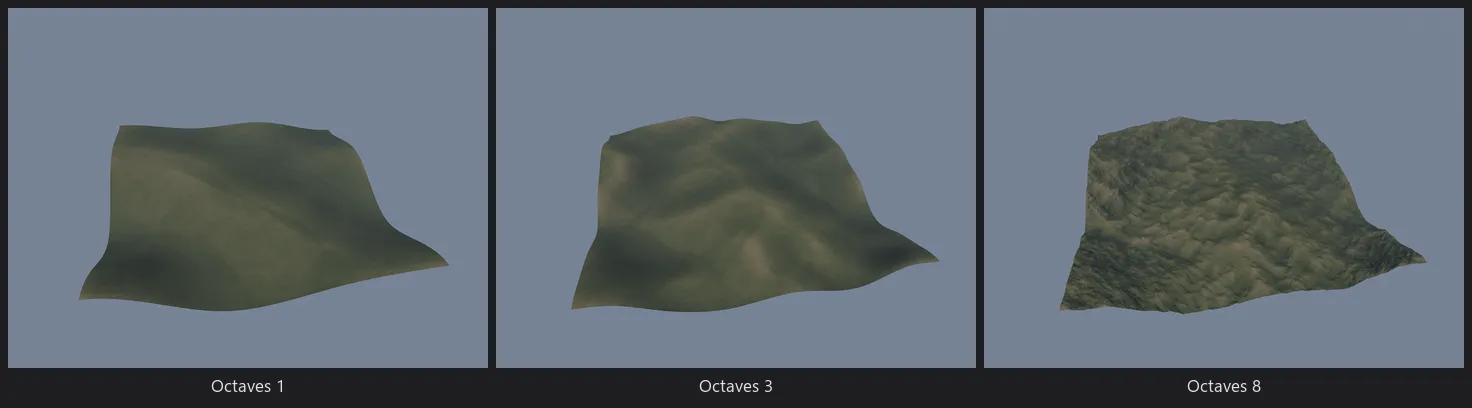
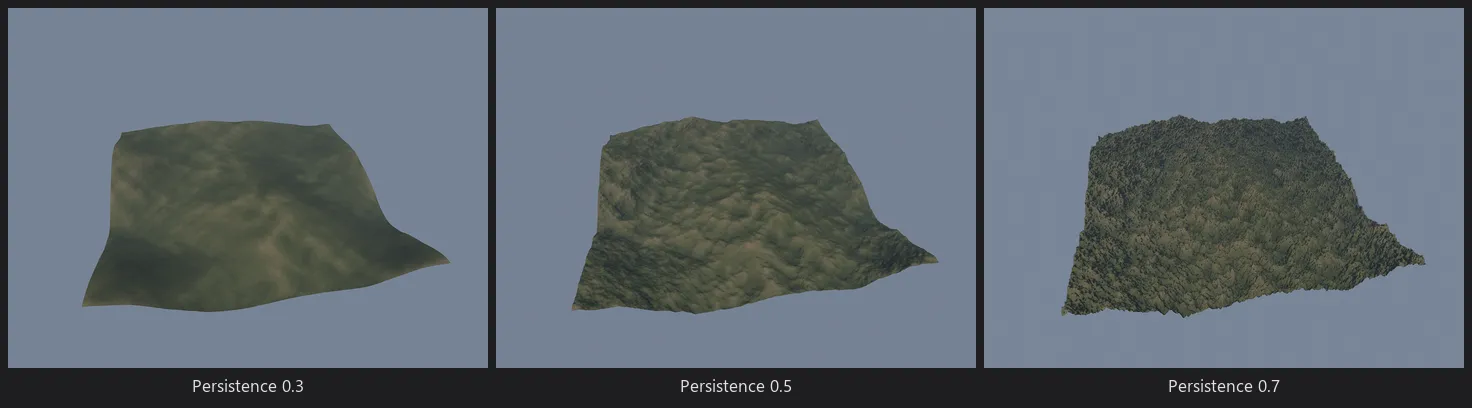
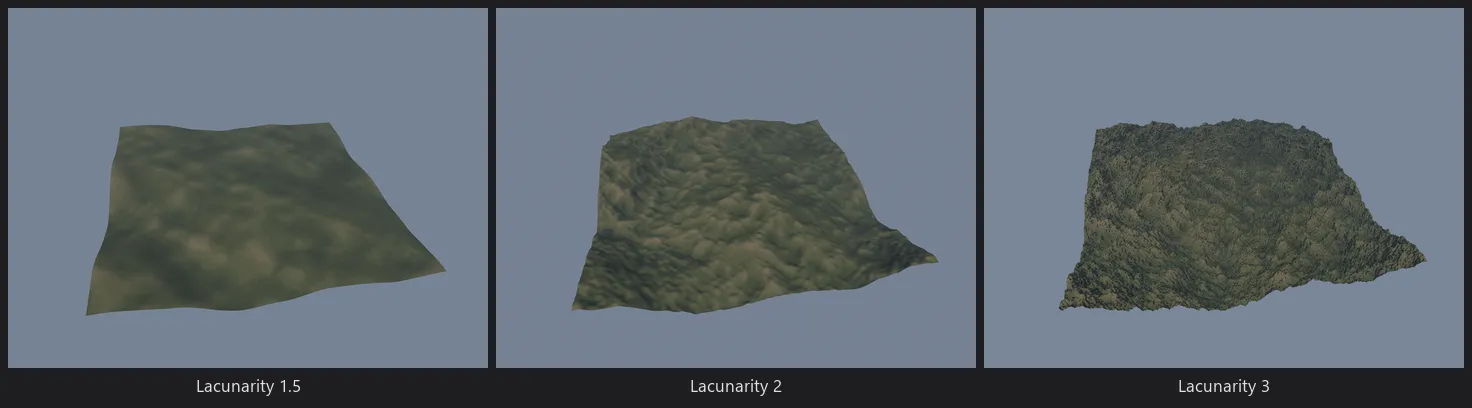
Low persistence gives smooth rolling land; high persistence gives rough, rocky ground. Keep the fine detail low: a BeamNG terrain square is about 2 m, and bumps much smaller than 10 m mostly make the roads and the erosion noisy.
Perlin styles
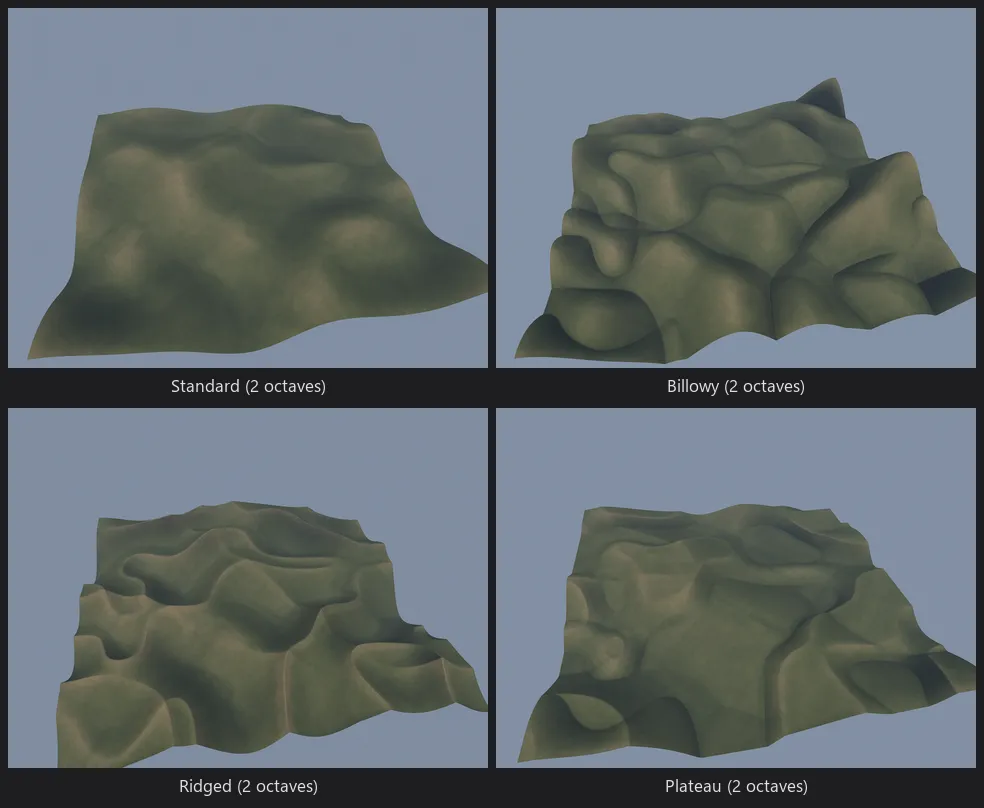
Section titled “Perlin styles”Perlin Style changes the shape of every octave:
- Standard: rounded hills and hollows.
- Billowy: puffy, rounded hills with sharp creases between them.
- Ridged: sharp crests and wide valleys, like eroded mountains. Most of the pattern lies below zero, so raise the generator’s Height Offset or the next layer’s if the land sinks.
- Plateau: hills with their tops and bottoms cut flat.
Voronoi and Alligator
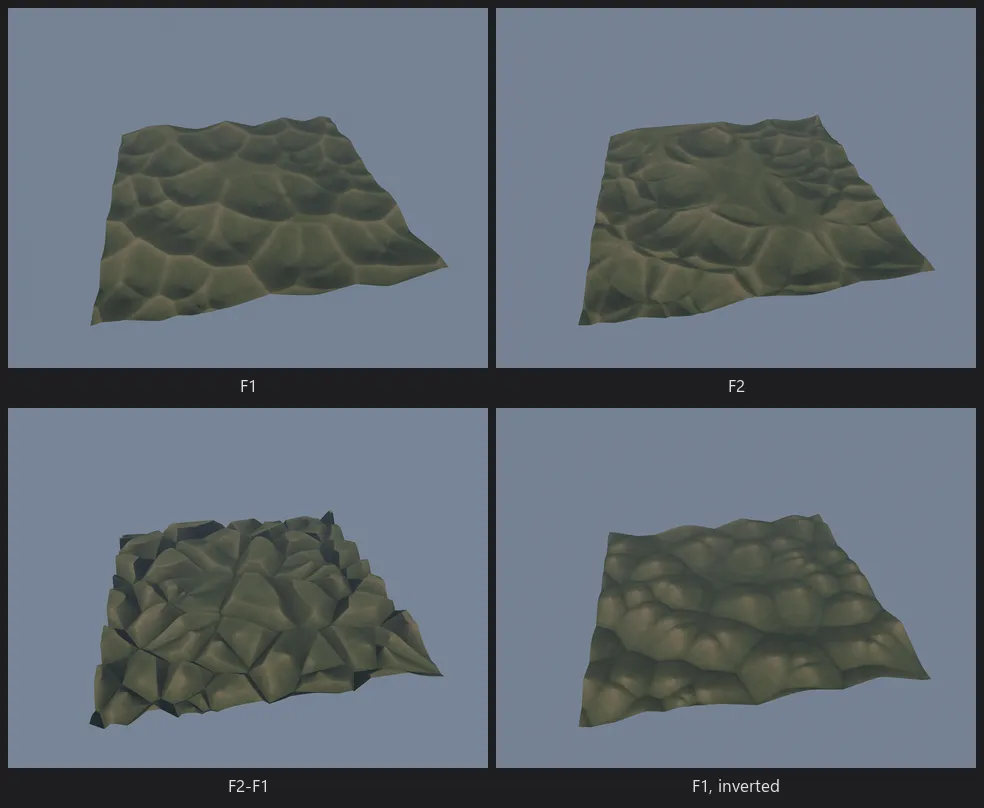
Section titled “Voronoi and Alligator”Voronoi scatters points about Voronoi Scale metres apart and makes each place’s height its distance to them:
- F1: the distance to the nearest point, which makes a bowl around each point.
- F2: the distance to the second nearest, which makes faceted cells.
- F2-F1: the difference, which makes flat cells with ridges along their borders.
- Invert Voronoi turns it upside down: peaks at the points instead of pits. Distance Type (euclidean, manhattan, chebyshev) gives round, diamond or square cells.
Alligator Noise is a cell noise of rounded plates with creases between them, about Alligator Scale metres across. Alligator Jitter moves the cells off a regular grid (0 = a regular grid, 1 = random).
Pattern
Section titled “Pattern”| Pattern Type | Draws |
|---|---|
| Linear Ramp | A slope across the map. Pattern Direction turns it (degrees). |
| Radial | A cone around Pattern Center X / Y (0..1 across the map): 0 at the centre, Amplitude at the farthest corner. Subtract it for a peak. |
| Grid | A grid of round bumps, Pattern Frequency across the map. |
| Checker | A checkerboard of raised and lowered squares, Pattern Frequency across the map. |
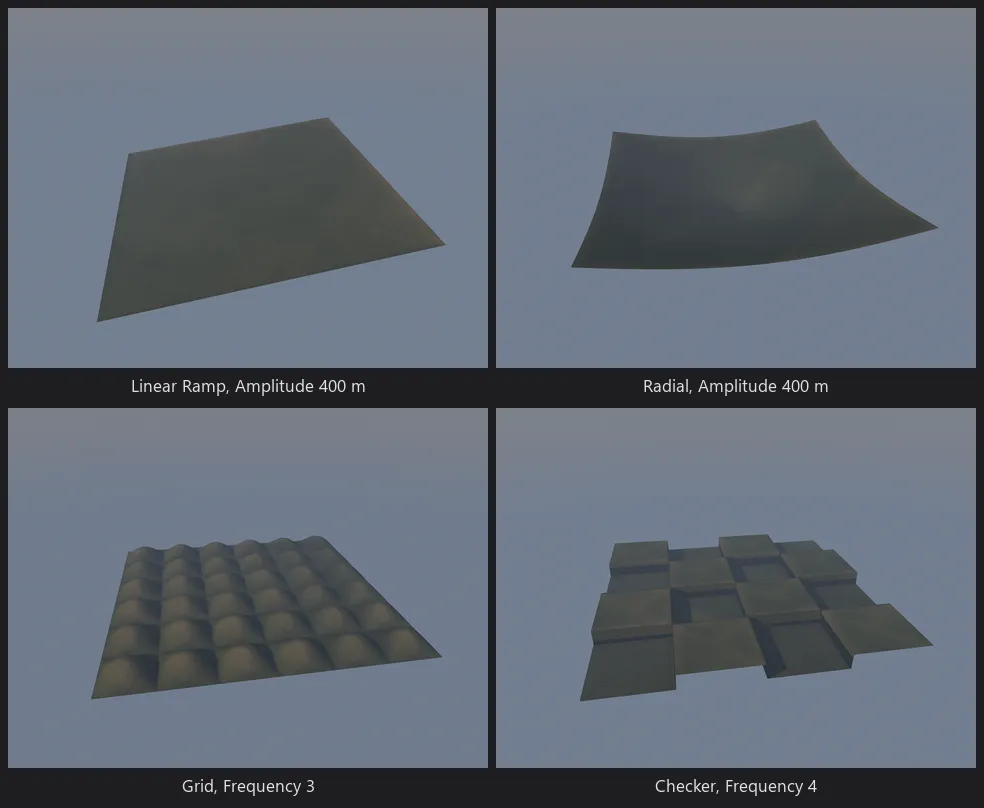
Patterns are normalised to 0..1 and then scaled by the Amplitude, so a ramp of Amplitude 100 rises 100 m across the map. To raise a mountain in the middle of a map, put a Constant and a Subtracted Radial pattern under a soft circular mask (see Masks).
Gabor noise
Section titled “Gabor noise”Gabor noise sums Gabor Impulses small wave packets in random places, each turned up to 30° from Gabor Orientation. Gabor Frequency is the number of waves per heightmap point, so the same value gives smaller features at a higher Resolution. A higher Gabor Bandwidth makes the packets shorter, with fewer waves each.