
Generators
A tree is a hierarchy of generators under one Tree root. A generator doesn’t stand for one branch: it stands for a whole set of nodes. It places its nodes on every node of its parent generator, so if Boughs places 18 nodes on the trunk and Twigs 8 on each bough, the tree has 18 boughs and 144 twigs.
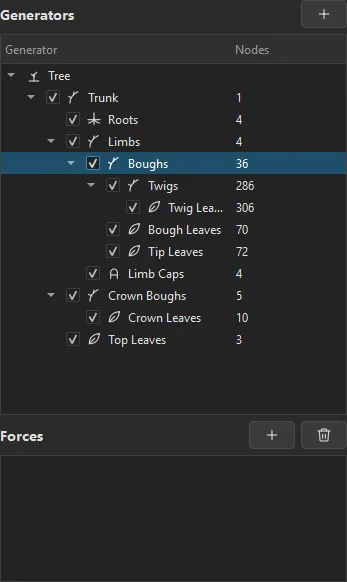
The generator list
Section titled “The generator list”- The Nodes column shows how many nodes or cards each generator grew in the variant on screen.
- Untick a generator to switch it off with everything growing on it. Switching off the leaf generators is the quickest way to see the branch structure.
- + adds a generator under the selected one. Right-click a generator to add a child of a given type, duplicate, rename or delete it.
- Drag a generator onto another to make it grow there.
Generator types
Section titled “Generator types”| Type | What it makes |
|---|---|
| Tree | The root. Settings for the whole model: how far the base sinks into the ground, when the game switches detail levels, and the trunk collision. |
| Branch | Trunks, limbs, boughs, twigs and roots. The workhorse: see Branches. |
| Frond | A Branch that is skinned as a textured ribbon instead of a tube: palm fronds, ferns. |
| Knot | A short, thick Branch stub: dead branch stubs, knots on a bole. |
| Roots | A Branch that hugs the ground and sinks into it towards its tips. |
| Leaf | Leaf cards: textured quads cut from the leaf atlas. See Leaves, fruit and caps. |
| Fruit | Small lathe meshes in bunches: coconuts, mangoes, pods. |
| Cap | Closes the tips of its parent’s branches with a dome. |
Frond, Knot and Roots are Branch generators with other defaults, so they have every Branch setting. Not every type can grow on every other: leaves, fruit and caps have no children, and roots carry only roots, knots and caps. The reference has the full table.
Each template names its generators the same way (Trunk, Boughs, Twigs, Twig Leaves), so it’s easy
to find your way between them.
The Properties tab
Section titled “The Properties tab”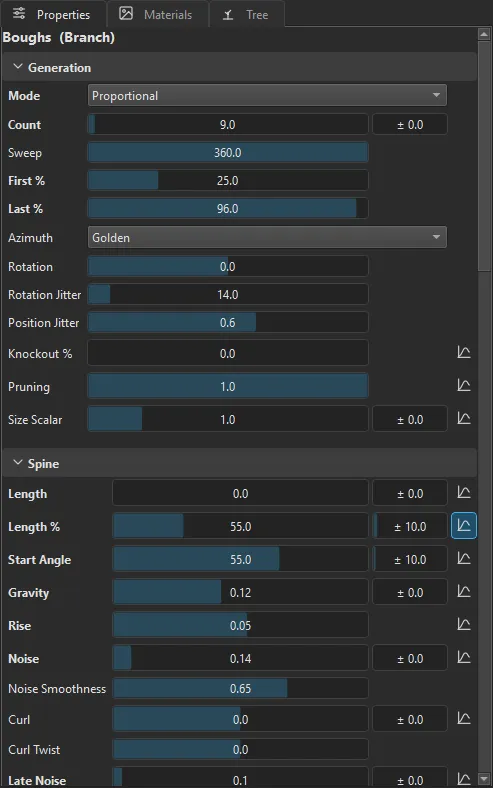
Select a generator to see its settings, grouped like SpeedTree’s (Generation, Spine, Skin, …). Click a group header to fold it; the editor remembers which groups you keep folded. A bold label means the value differs from the type’s default. Right-click a label to reset, copy or paste it. Hover any setting for its description.
A setting can have up to three parts:
- The value, a scrub field like every number in Terrano: drag to change, click to type.
- ± range (on settings that support it): each node draws its own value within plus or minus this. A Length of 11.9 ± 1.68 gives every trunk between 10.2 and 13.6 m. Ranges are what make the variants differ from each other.
- Curve button (on settings that have a curve): the value is multiplied by a curve. Click it to edit the curve. A highlighted button means the generator has its own curve.
Curves
Section titled “Curves”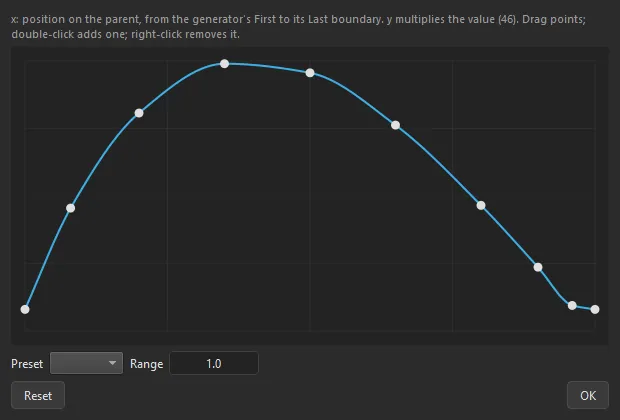
There are two kinds of curve:
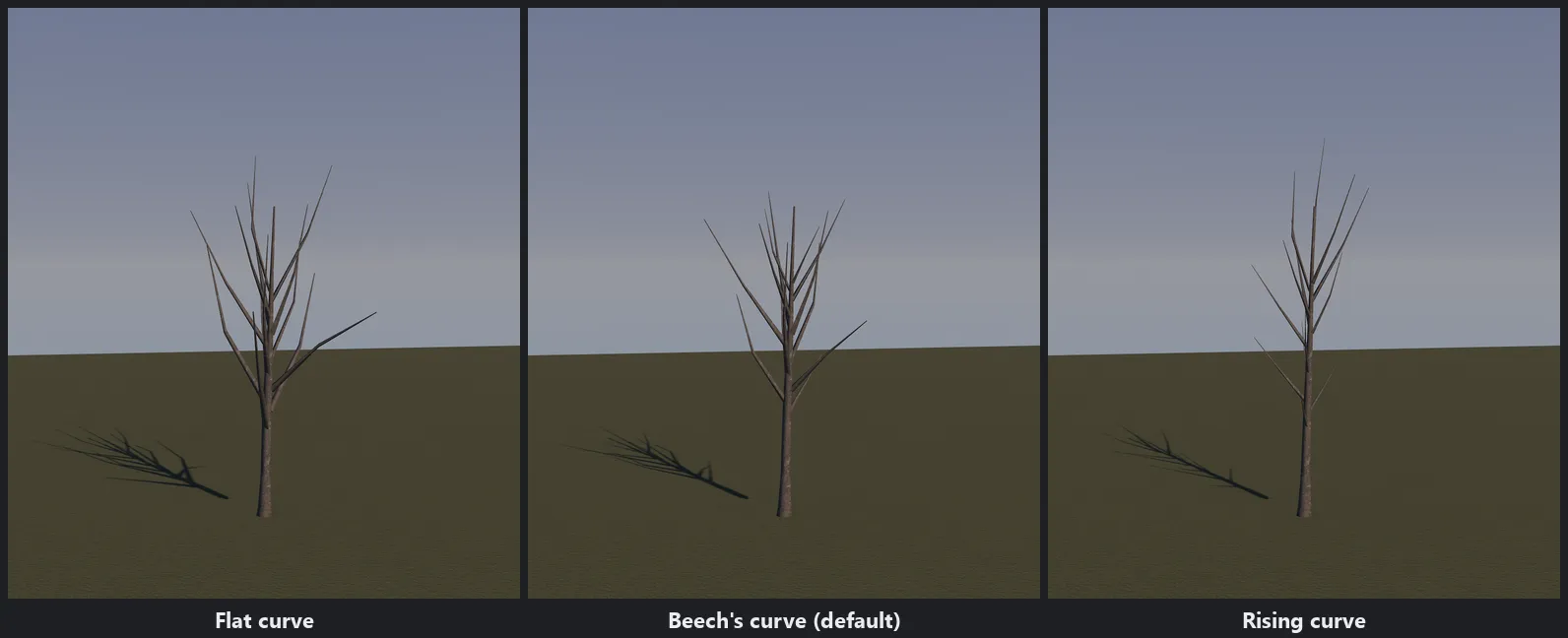
- Parent curves run along the parent node, from the generator’s First % to its Last %. They shape a setting by where a node grows. The beech’s bough length curve is short at the bottom of the crown, longest at a third of the way up and short again at the top, which gives the crown its egg shape.
- Profile curves run along each node, from its base to its tip. They shape a setting within a node: gravity that only pulls the outer half of a bough down, noise that grows towards the tip, a taper.
In the curve editor drag the points, double-click to add one and right-click to remove it. The Preset box has common shapes, Range lets the curve go above 1, and Reset goes back to the default curve. The preview follows while you drag.
Seeds and random streams
Section titled “Seeds and random streams”Every generator has its own random stream, seeded from the variant’s seed and the generator’s own seed. Adding, removing or editing one generator never reshuffles the others, so you can tune the twigs without the boughs jumping around. Randomize gives the selected generator a new seed; the tree’s Seed (in the Tree tab) changes every generator at once.