
Materials
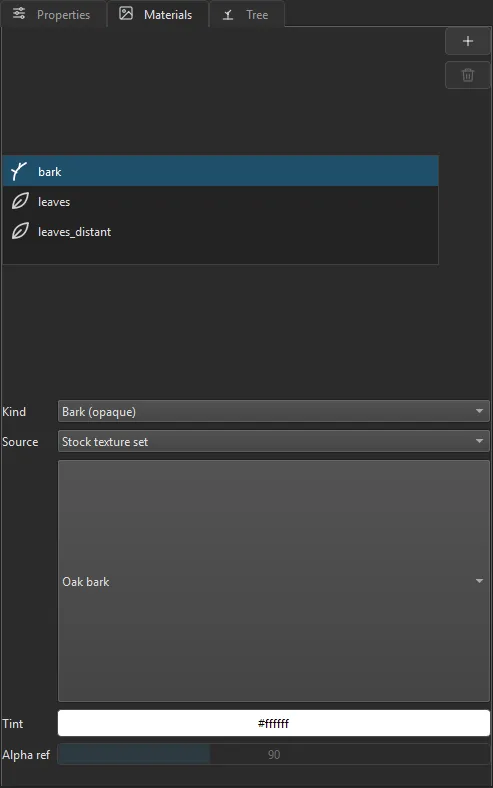
A tree’s textures live in material slots. Generators pick a slot in their Material fields (and Leaf
generators a Far Material). Every tree has a bark slot (caps and the collision use it). The templates
add leaves and leaves_distant, and adding a Fruit generator adds a fruit slot. + adds a slot of your
own, for example a second bark for the roots or a dry-frond texture.
| Setting | |
|---|---|
| Kind | Bark (opaque), Leaves (alpha tested, two-sided) or Fruit (opaque mesh). |
| Source | Where the textures come from (below). |
| Tint | A colour multiplied over the texture: make a bark greyer or leaves more autumnal without new images. |
| Alpha ref | Leaves only: the alpha test threshold (0-255). Higher cuts more of the soft leaf edges. |
Sources
Section titled “Sources”- Stock texture set: the bark and leaf textures of the game’s stock trees (common content), so levels need nothing extra.
- Library material: any material from the asset library (your install, mods, the project). Its maps are copied into the slot when you pick it. If it comes from a level or a mod rather than common content, the tab warns that levels using the tree need it installed, and Create BeamNG Level lists it as a dependency.
- Imported images: your own colour image (its alpha, or a separate opacity image, cuts the leaves) and
optionally a normal map. They are copied into the project (
assets/textures/terrano_trees/<tree>/) and into every level you export.
Leaf cards
Section titled “Leaf cards”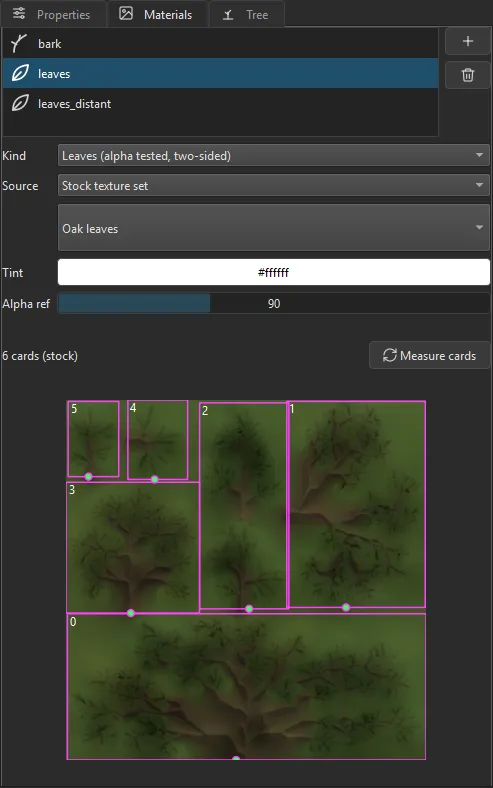
A leaf texture is an atlas of several sprays. The editor cuts it into cards by its opacity: each separate spray becomes a card, attached at its thinner end (the stem). Stock sets come measured; for a library or imported texture press Measure cards.
The atlas preview numbers the cards. In the table under it, set a card’s Stem to Stem at bottom when the measurement picked the wrong end, or to Skip to leave a spray out (a cut-off piece, a label).