
Surfaces and markings
The carving shapes the ground; everything you see on the road is added on export, as in BeamNG’s own levels:
- decal roads (textures laid along the road over the terrain): the surface, a wear overlay, the verges and the lines,
- the terrain material painted on the ground under the road, which sets how it drives,
- invisible AI roads so the game’s traffic and navigation can use the network.
All these settings are Export only: changing them never regenerates the terrain. The Real view shows them as they will be exported.
Surface
Section titled “Surface”Each class has:
| Setting | |
|---|---|
| Decal Material | The road surface texture. It must be a full-coverage road texture (road_asphalt_2lane_west_coast_usa, road_asphalt_light, m_dirt_variation_04_east_coast_usa). |
| Overlay Material | A partly transparent texture laid over the surface for lane wear or tyre tracks (AsphaltRoad_variation_two_way, dirt_tiretracks). |
| Terrain Material | The terrain material painted under the road and its shoulders: Asphalt for A roads, asphalt2 for B, Dirt for C. |
| Unpaved | Marks the class as a dirt road: it gets puddles instead of cracks and potholes, and dirt is tracked onto paved roads where it joins them. |
The terrain material is what the wheels drive on (its ground model: grip, and how loose or soft it is), so an asphalt decal over a dirt terrain material drives like dirt. It is painted over the shoulders and one terrain square beyond them, so a wheel on the edge line is still on the road’s material.
Roads drawn by the terrain alone
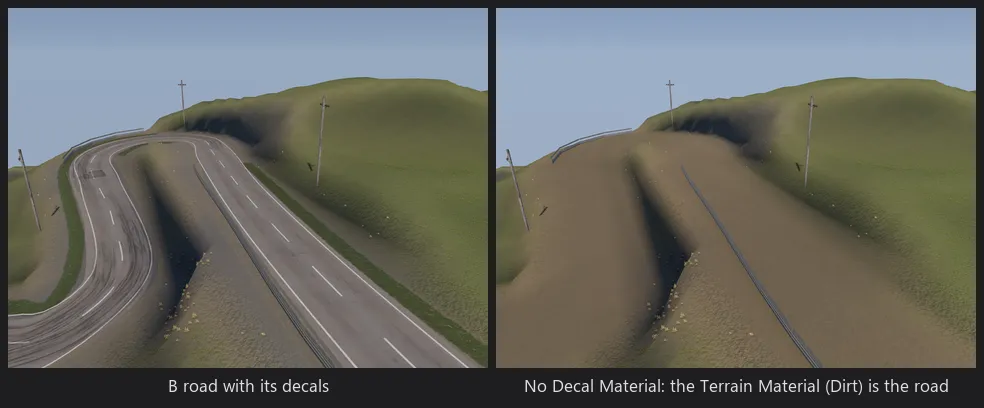
Section titled “Roads drawn by the terrain alone”Leave Decal Material empty and the export writes no surface decal: the road shows the Terrain Material painted under it. That is how to make dirt tracks in a custom ground texture, or roads in a material for which no road decal exists. Clear the Overlay and edge materials and turn the lines off too.
Verges
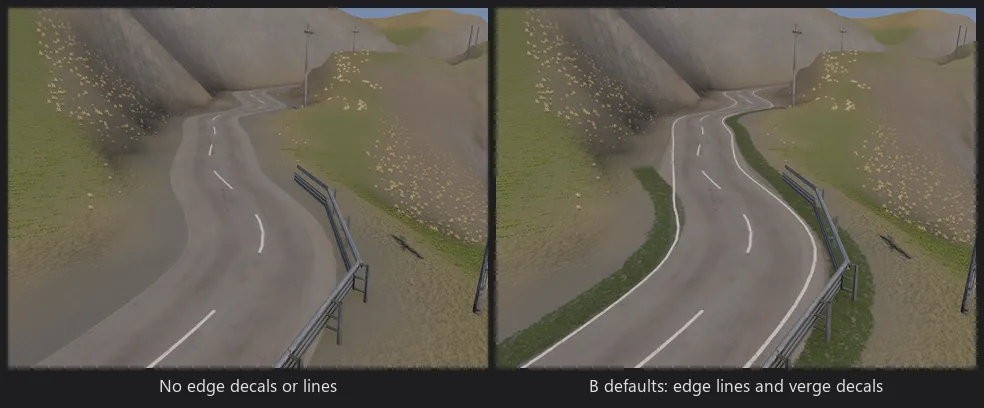
Section titled “Verges”Grass Edge Material and Dirt Edge Material are decals laid just outside each edge of the road, Edge Decal Width wide, that blend the road into the ground beside it. Along each stretch the export picks the grass edge where the ground beyond the shoulder is green in the Ground Cover and gentle, and the dirt edge elsewhere. Leave one empty to use only the other; leave both empty for no verges.
| Setting | |
|---|---|
| Centre Line | None, Solid, Dashed or Double (per class). |
| Edge Lines | A solid line along both edges (per class). |
| Centre Solid / Centre Dashed / Edge Line Material | The line textures (Markings group). |
| Line Width | The width of every line (Markings group). |
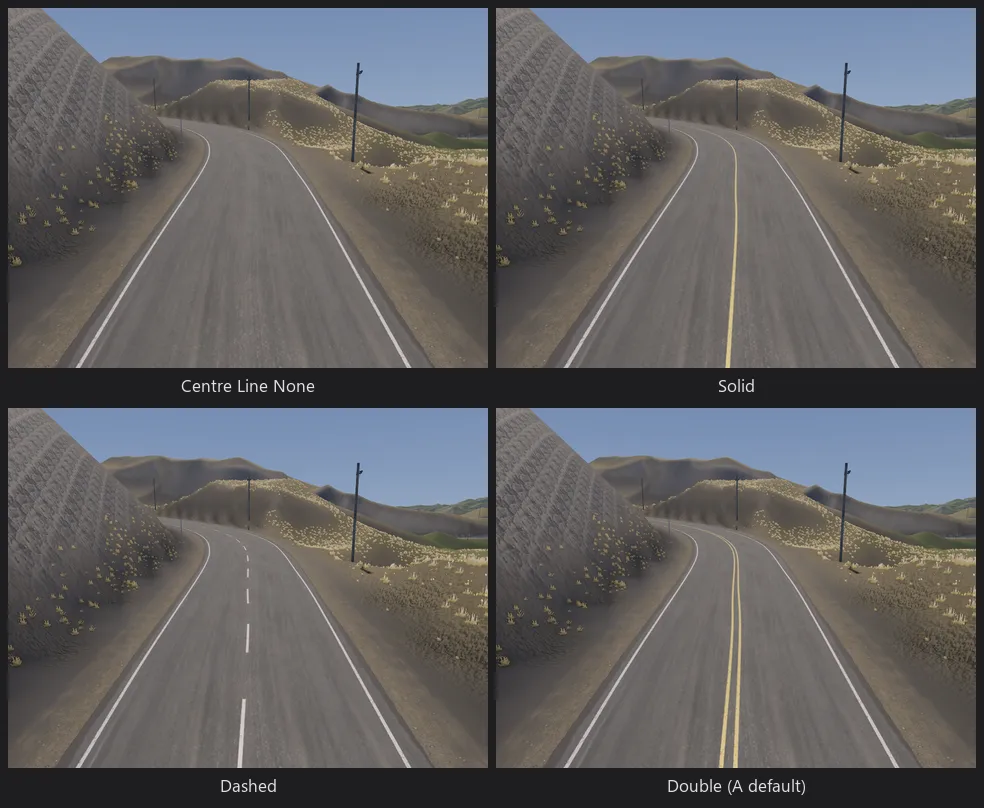
Lines stop where a road joins another, and the edge line of the main road is broken across the mouth of the junction. The AI ignores the line decals.
Junctions and dead ends
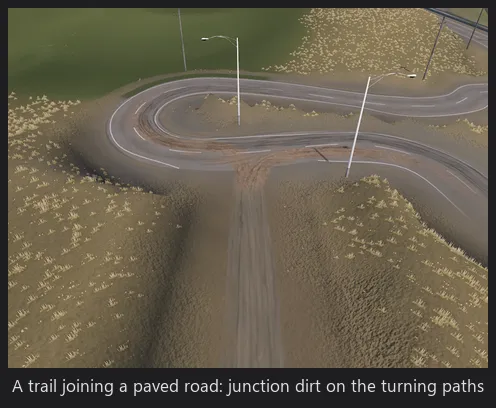
Section titled “Junctions and dead ends”Where an Unpaved road joins a paved one, Junction Dirt Material is laid along both turning paths into the near lanes, Junction Dirt Length metres long, like the dirt cars carry onto the asphalt.
Where a road ends without meeting another (at a destination, or a hand-drawn road’s free end), its surface widens a little and fades out over the last metres, so it runs out onto the ground instead of stopping square.
Lanes, speed and AI
Section titled “Lanes, speed and AI”With the export’s AI road network option on (the default when the project has roads), every road is also exported as one invisible road for BeamNG’s navigation, AI drivers and traffic, with:
| Setting | |
|---|---|
| Lanes | Lanes in total, split between the two directions. Below 2 the road gets no lane count and the game decides; trails default to 0. |
| Speed Limit | The AI’s speed limit in km/h. 0 sets none. |
A and B roads are marked fully drivable, C trails half, so the AI prefers the paved roads. A road that joins another shares a node with it, so the AI can turn there.
Materials for an existing level
Section titled “Materials for an existing level”When you export into an existing level, every material must exist in that level. See Export into an existing level. Creating a new level copies everything it needs.