
Masks
A Mask limits the nodes under it to part of the map. Generators and filters placed under a mask apply only where the mask is white, and fade out where it is grey. Masks under masks multiply, so an area can be narrowed step by step.
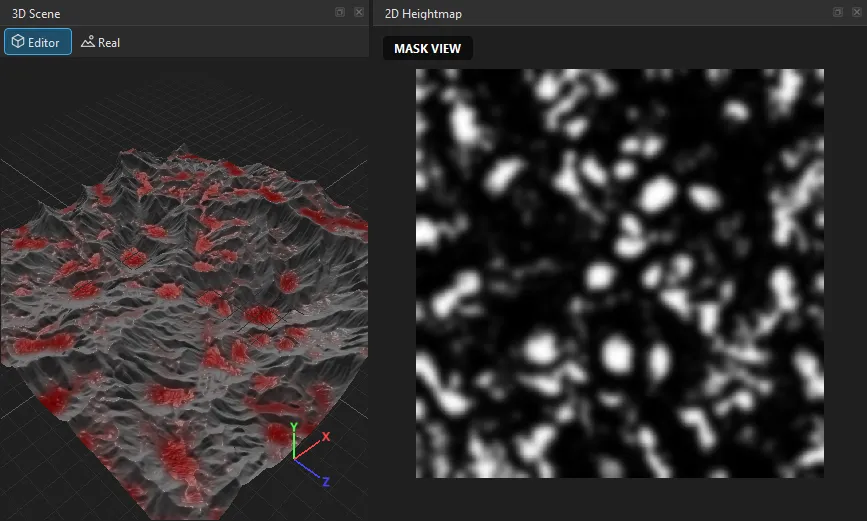
Terrain├─ Generator: Hills├─ Mask: Highlands (Height above 60 m)│ ├─ Generator: Ridges ← only on the high ground│ └─ Filter: Terrace ← only on the high ground└─ Filter: Erosion ← everywhereSelect a mask to see it: it is tinted red in the 3D view, and the 2D view shows it in greys (white inside).
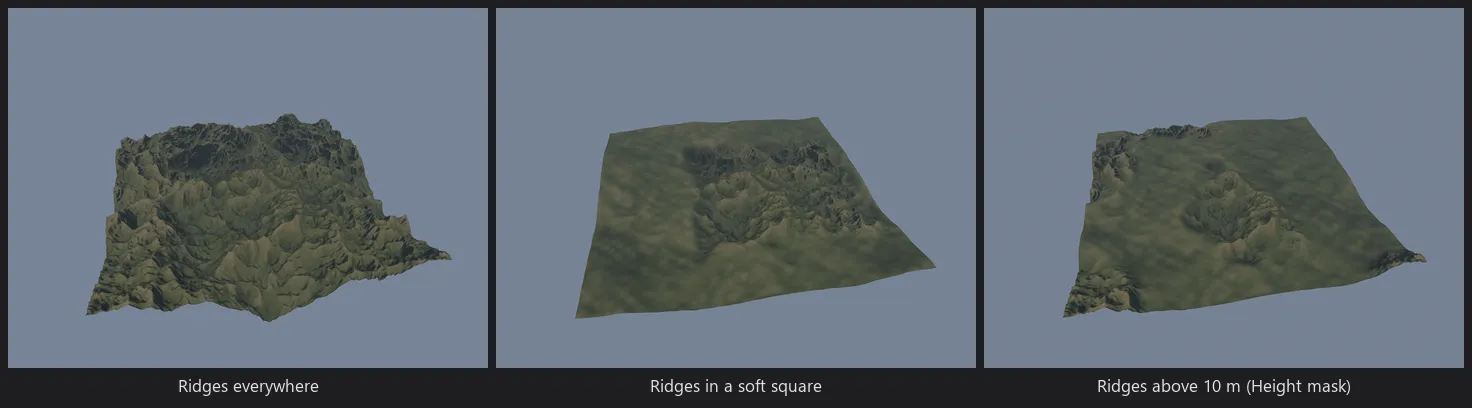
A generator under a mask blends in by its Strength times the mask, and a filter blends its result in by the mask. So a soft mask edge gives a soft transition, and a hard edge a step.
Settings for every mask
Section titled “Settings for every mask”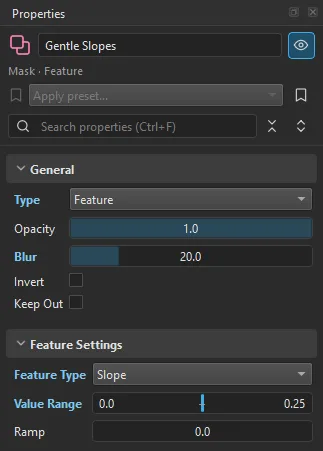
| Setting | |
|---|---|
| Type | Where the mask comes from: Primitive, Draw, Image or Feature (below). |
| Opacity | Scales the whole mask: 0.5 applies its children at half strength everywhere. |
| Blur | Softens the edges, in metres. |
| Invert | Swaps inside and outside. |
| Keep Out | Marks the area as hand-made for the nodes after the terrain (foliage, roads, decals). It doesn’t change the terrain. See Masks and Keep Out. |
Primitive: circles and squares
Section titled “Primitive: circles and squares”A Circle or Square Size metres across (the diameter, or the edge length), centred X and Y metres from the centre of the map. Falloff fades it out over that many metres beyond its edge (0 = a hard edge).
Raising and lowering an area
Section titled “Raising and lowering an area”A Constant generator under a soft circle raises a dome (positive Height Offset) or digs a basin (negative Height Offset, or Operation Subtract):
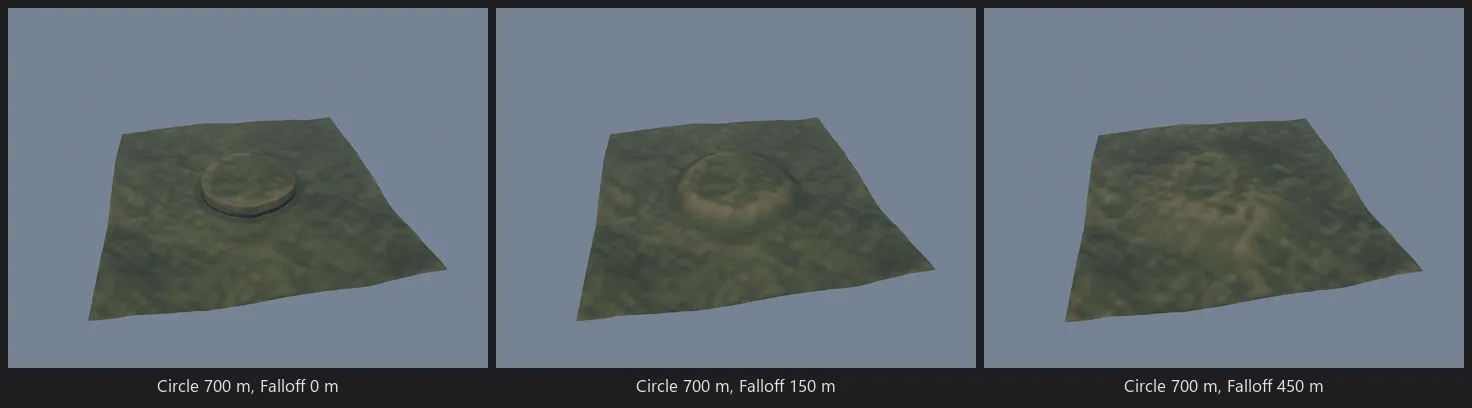
With no falloff it raises a sheer plateau, and with a long falloff a rounded hill. Add a Subtracted Radial Pattern under the same mask for a cone-shaped peak.
Draw: painting by hand
Section titled “Draw: painting by hand”A Draw mask is painted in the 3D view. Press Start Drawing in its settings and paint with the left mouse button; the other panels are locked until you press Stop Drawing.
| Setting | |
|---|---|
| Brush Size | The brush radius in metres. |
| Brush Strength | How much each dab adds. Low values build the mask up gradually. |
| Brush Opacity | The most a stroke can reach (1 = fully inside). |
| Mask Resolution | The resolution the painting is stored at, saved with the project. |
Use Blur on a painted mask to soften the brush strokes.
An Image mask loads a greyscale picture (Image Path) and stretches it over the whole map: white inside, black outside. Paint it in any image editor, or use a mask exported from another tool.
Feature masks
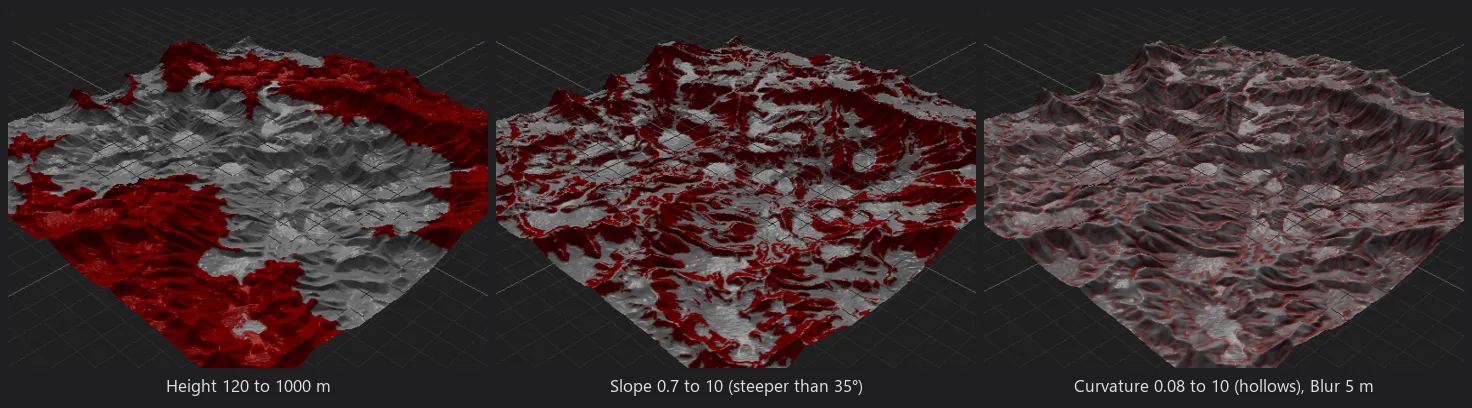
Section titled “Feature masks”A Feature mask is read from the terrain made by the nodes before it, so it follows the land as you change it. Feature Type chooses what it reads and Value Range (Min / Max) which values are inside.
| Feature Type | Value | Inside for example |
|---|---|---|
| Height | The height in metres. | 60 to 1000: the high ground. |
| Slope | The slope as rise over run: 0 is flat, 0.5 is about 27°, 1 is 45°, 2 is about 63°. | 0.7 to 10: everything steeper than 35°. |
| Curvature | How much the ground curves: positive in hollows and valley bottoms, negative on ridges and crests, near 0 on even slopes. | 0.05 to 10: hollows. -10 to -0.05: ridges. |
| Erosion Flow, Wear, Deposition, Debris | The maps of the Erosion, Thermal, Slump and Flow Warp filters before the mask, 0 to 1. | 0.3 to 1: the main channels. |
| Strata Hardness | The hardness of the layers of Strata filters before the mask, 0 to 1. | 0.6 to 1: the hard bands. |
Height, Slope and Curvature masks are sharp-edged: a point is either inside the range or not. Add some Blur for a soft transition. The erosion and hardness masks keep the map’s own value inside the range, so they are soft already.
Feature masks have more types (water, roads, settlements, farmland, lot pads) that read the nodes built on top of the terrain. They work the same way; see Masks.
Examples
Section titled “Examples”- Different land in different places: a Height mask holding Ridged noise (mountains above the valleys), and an inverted copy of it holding a Smooth filter (flat valley floors).
- Flat ground for a town or a track: a soft Square holding a Constant generator with Operation Replace and Strength 0.8 levels the ground to one height.
- Cliffs that keep their shape: a Slope mask (steeper than 40°) holding a Sharpen filter, before the Erosion.
- Erosion only in the mountains: put the Erosion filter under a Height mask, or set its Rain Source to Parent Mask to erode everywhere with more rain inside the mask.